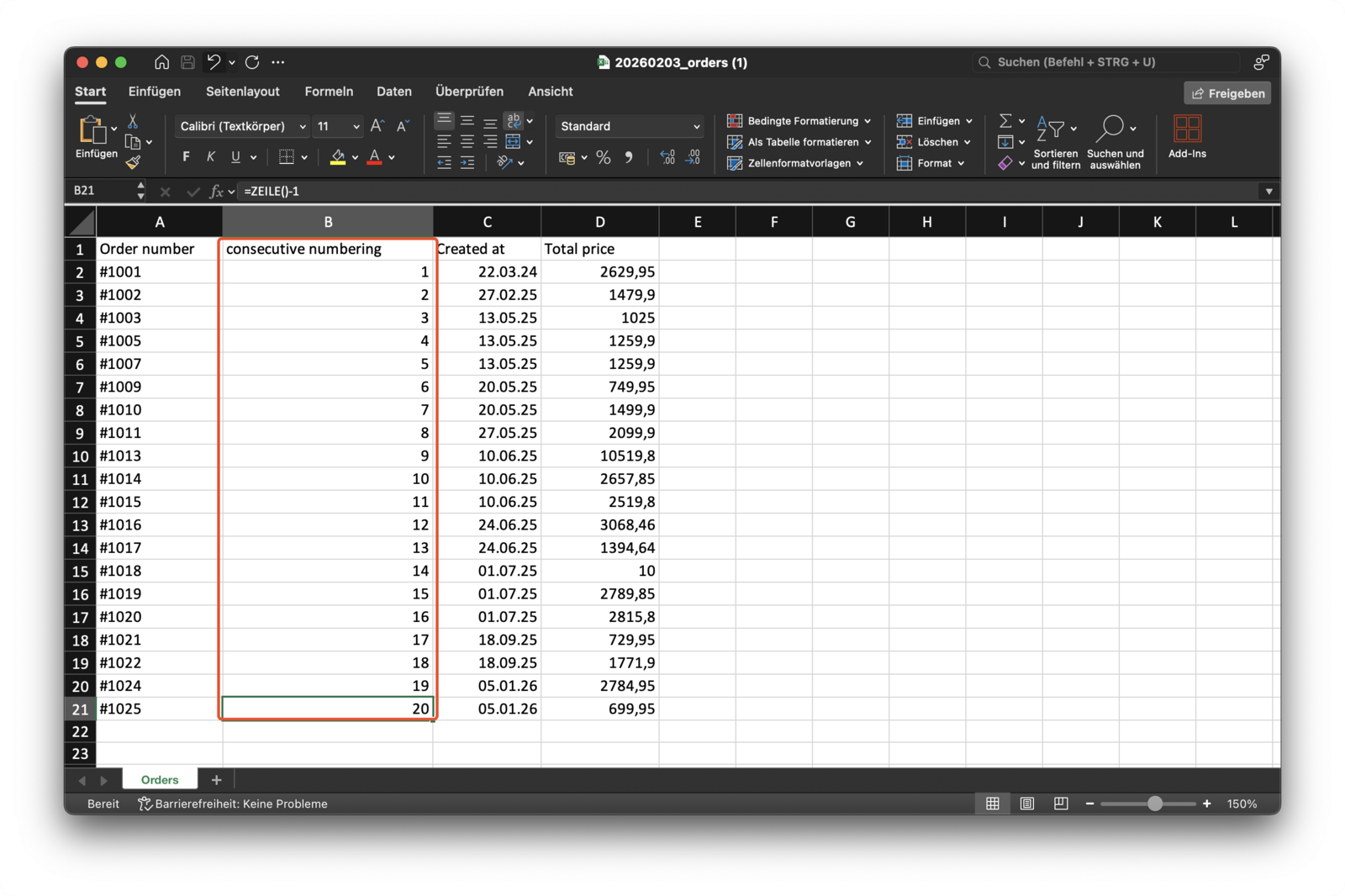
Can I Add Consecutive Row Numbers in Excel?
Updated on
Yes you can!
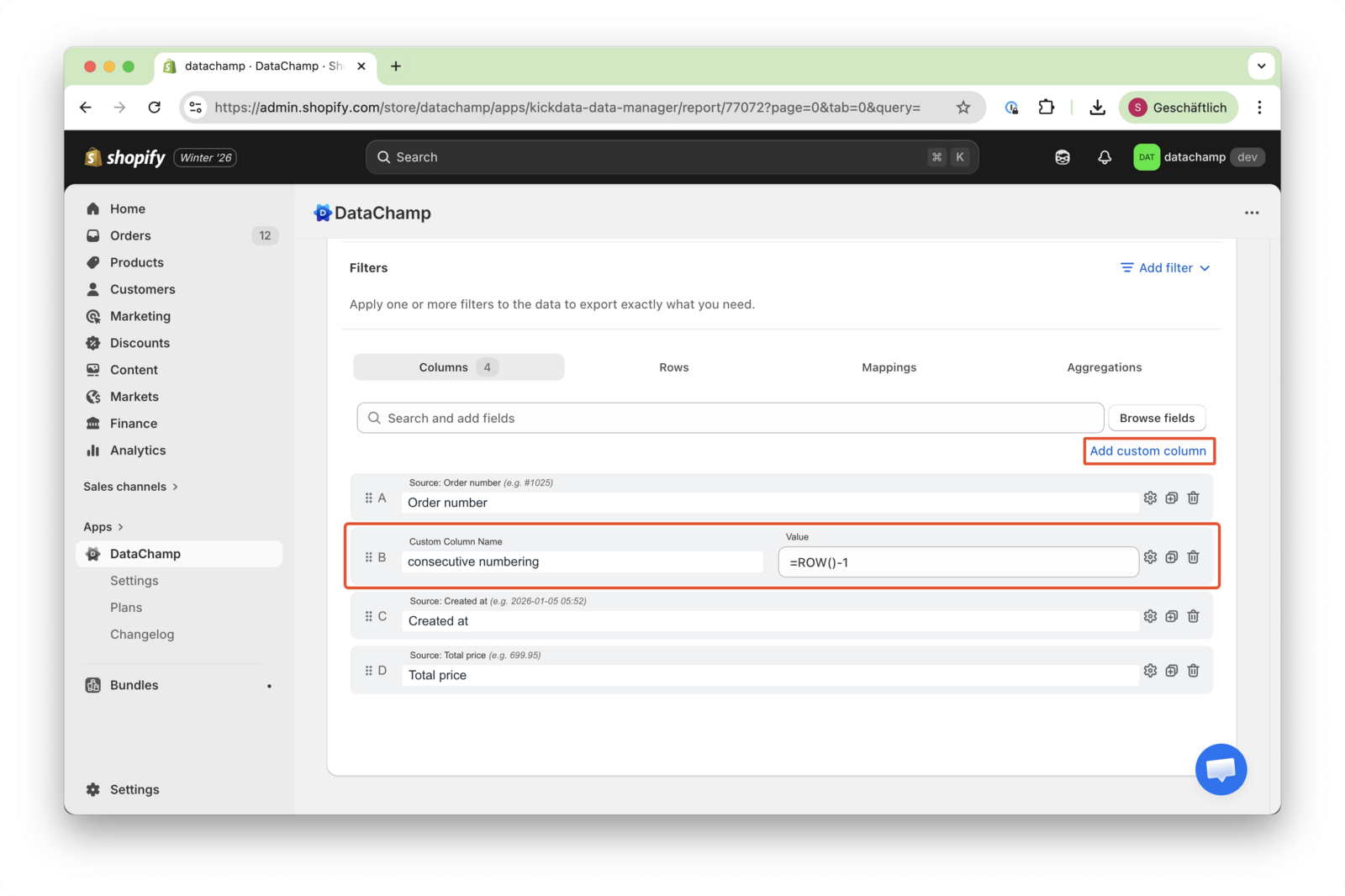
- Add a custom column
- Give it a name e.g. consecutive numbering
- Insert the value:
=ROW()-1
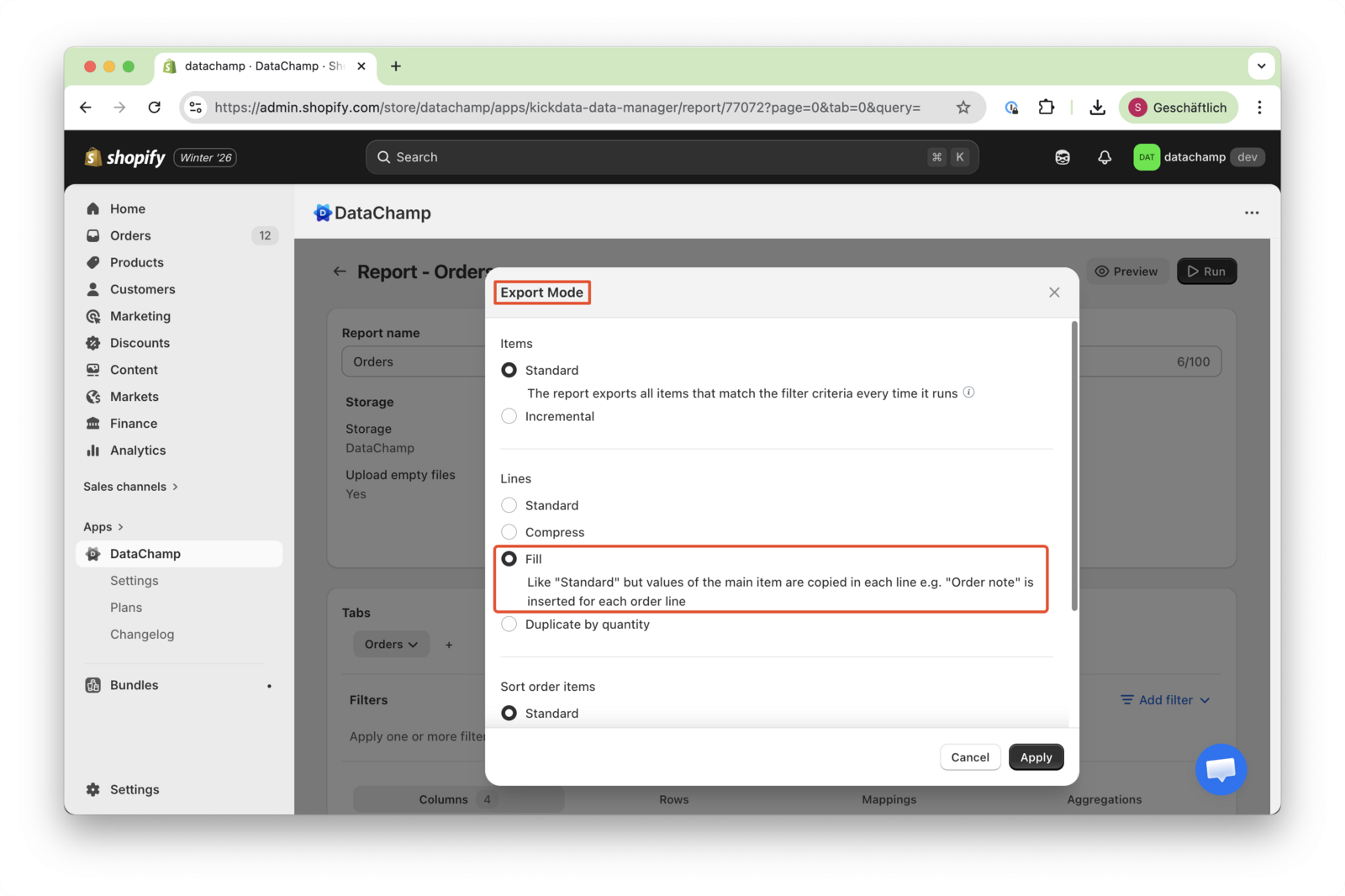
- Set "Lines" in "Export Mode" to "Fill"
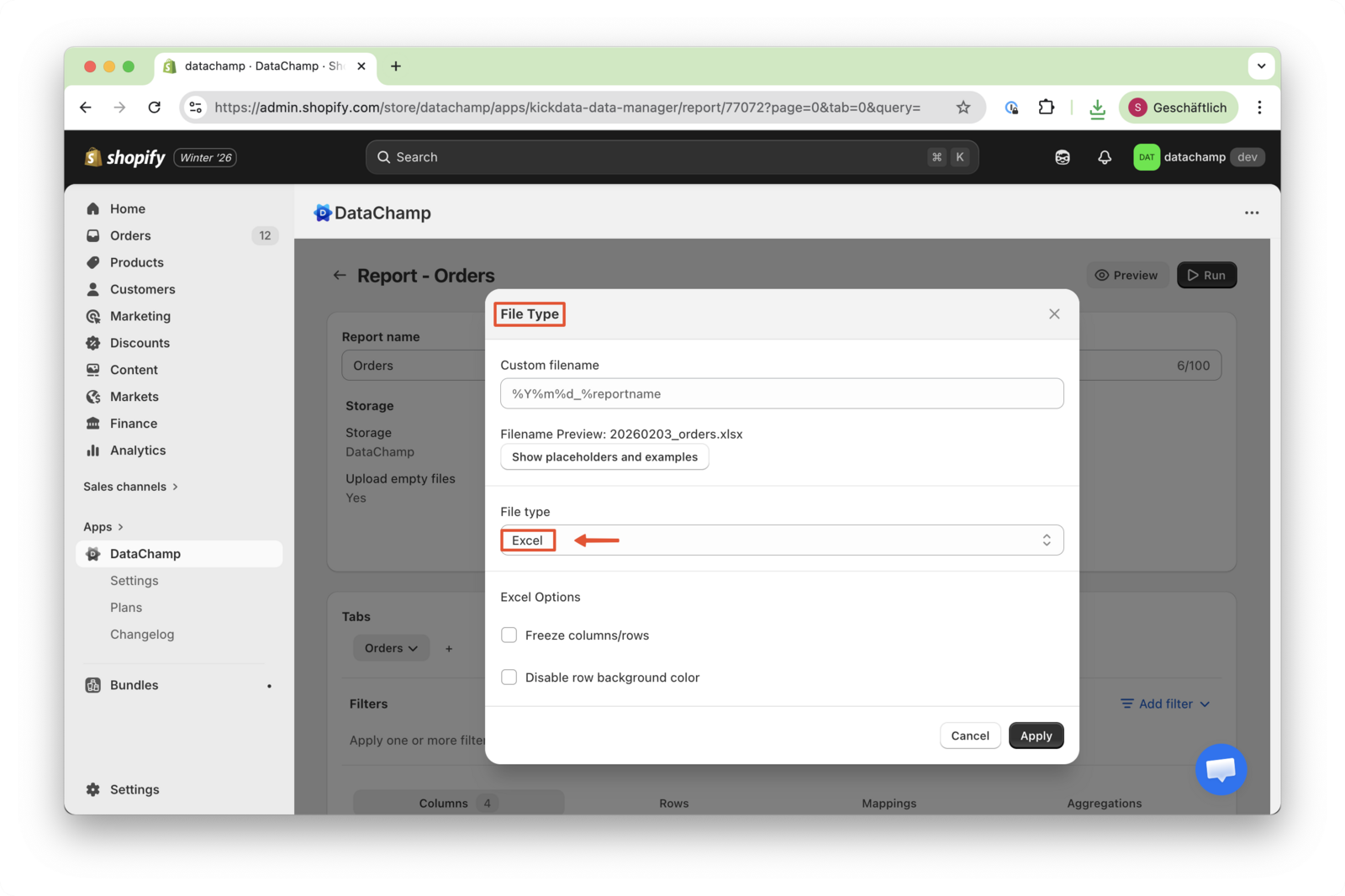
- The "File Type" must be "Excel"
If the calculated value of the Excel formula is not displayed in the Preview:
- Click “Save”
- Then click “Run”
- Download the report
In the downloaded Excel file, the formula results will be displayed correctly