How to Uninstall Our App/Cancel Subscription?
Updated on
Uninstall DataChamp
If you wish to uninstall our app, there are two options:
- Directly in Shopify:
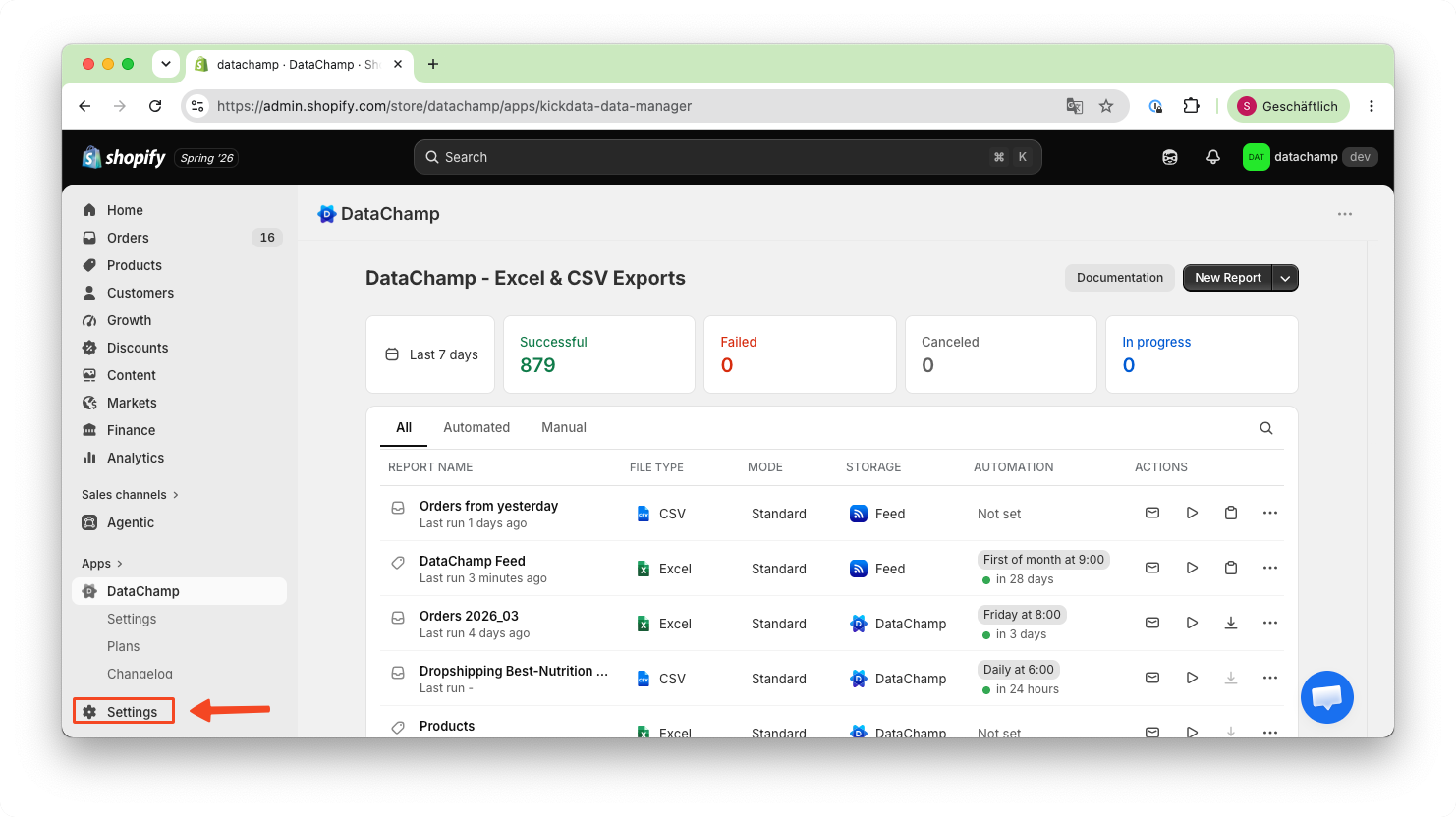
First Navigate to Settings:
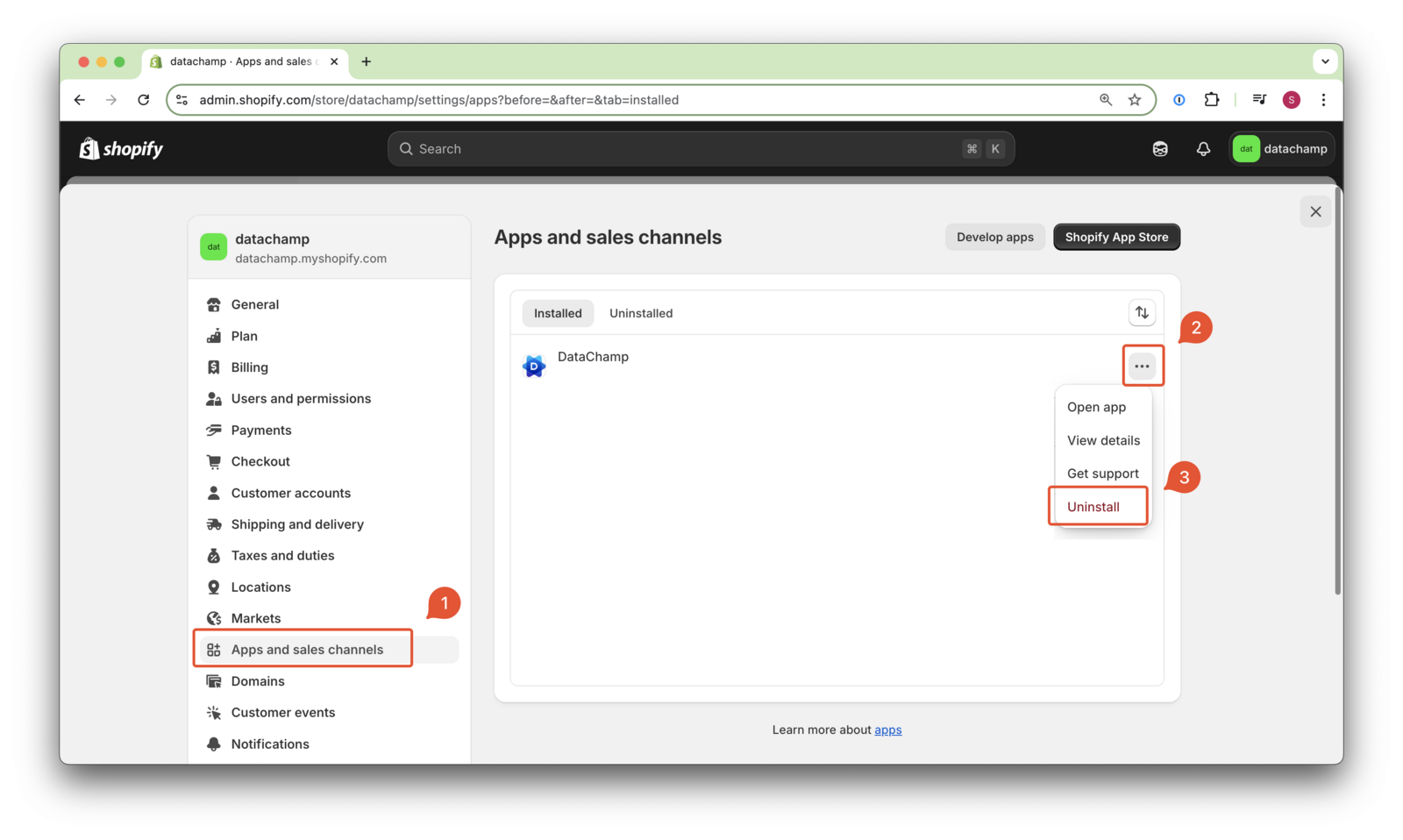
Click on "Apps and Sales Channels" ( 1 ). Find DataChamp and click on the three dots ( 2 ), then select "Uninstall" ( 3 ):
- Within DataChamp:
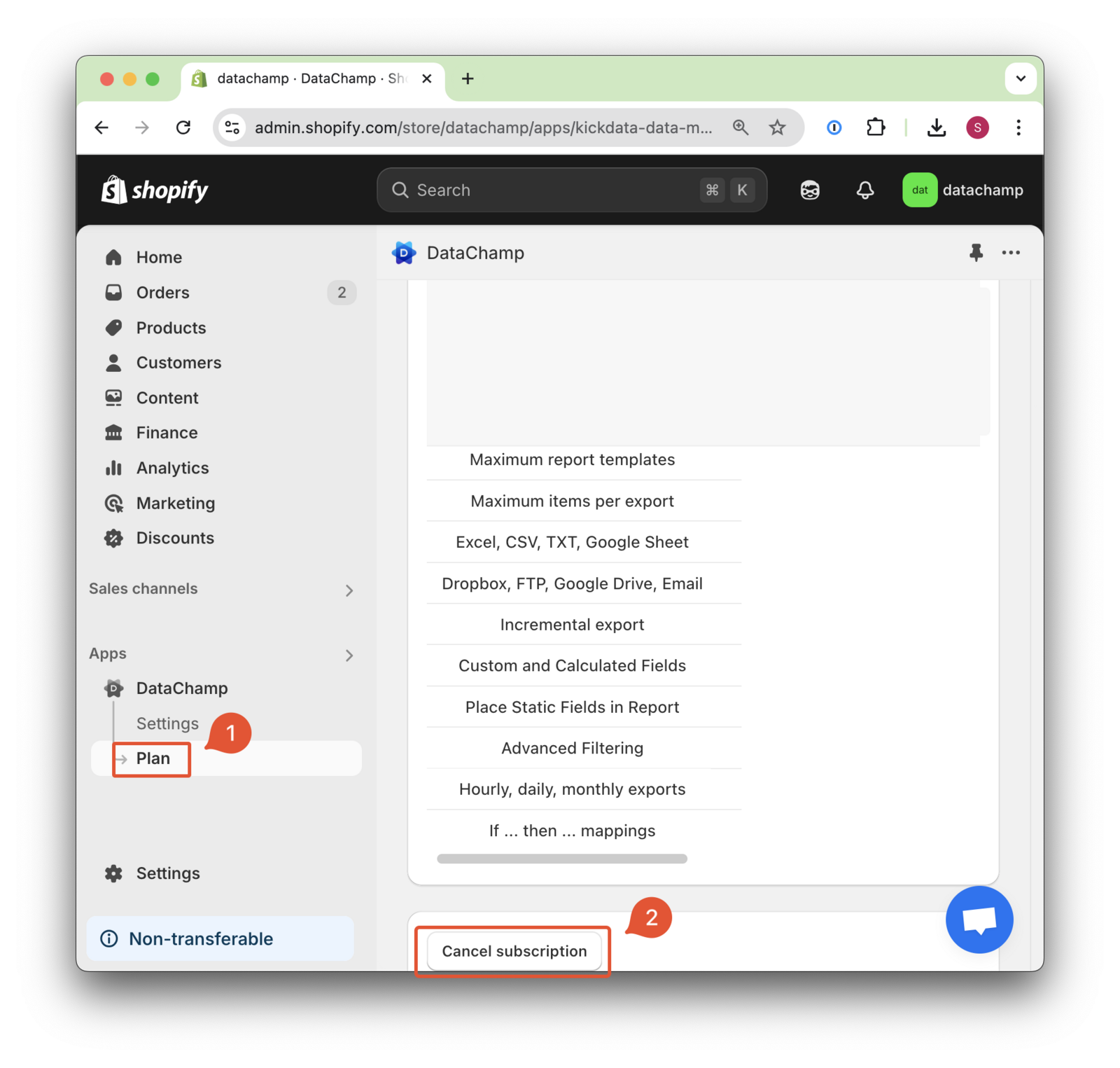
Navigate to "Plan" ( 1 ). Then click "Cancel subscription" ( 2 ) at the bottom left.
If you have any questions, feel free to contact our support team.