Schedule Reports
Updated on
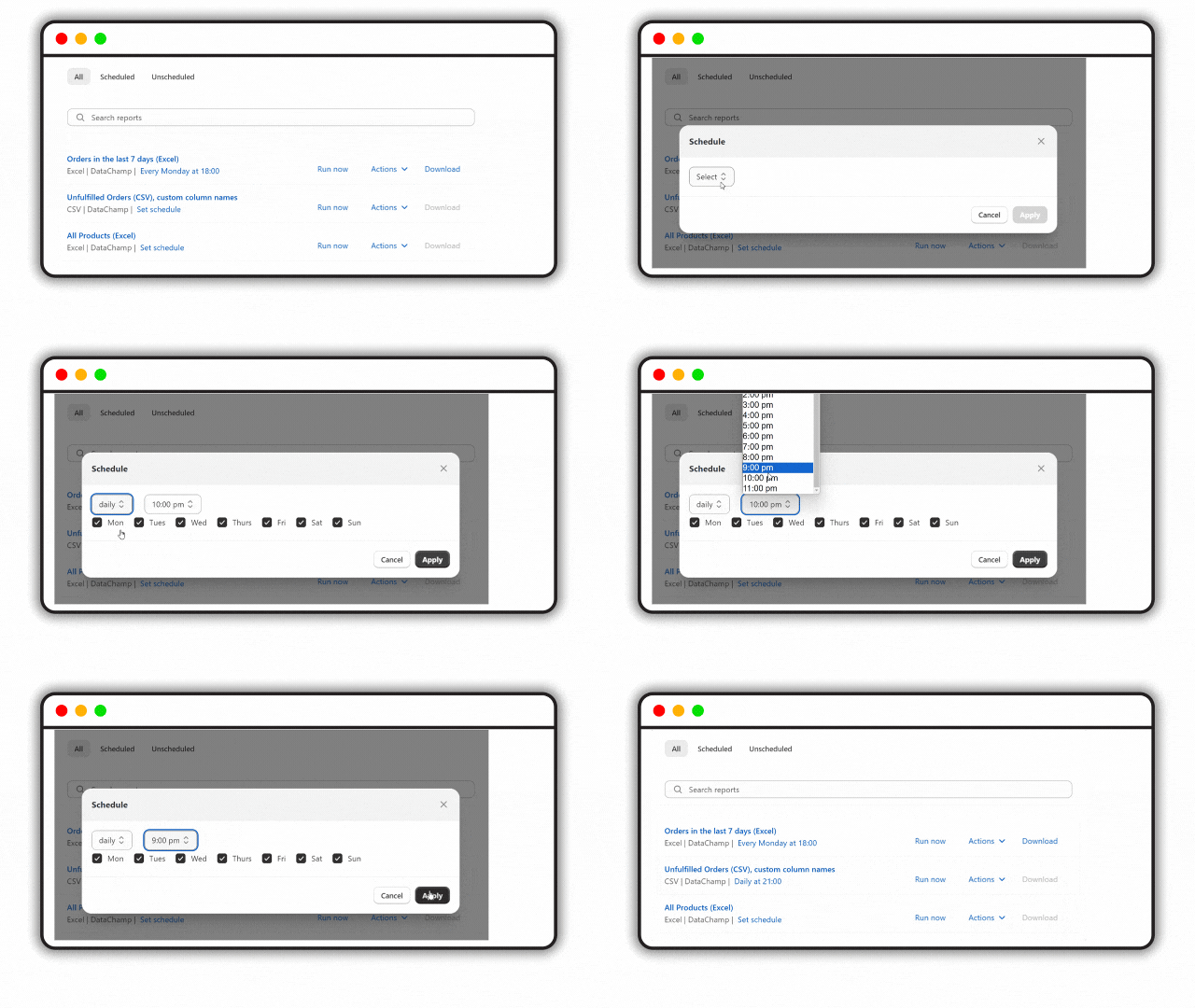
Click "set schedule" to select a time for the report to run. Once scheduled, the report will display its next run time instead of "set schedule". You can also find all scheduled reports under the "scheduled" tab.
Then choose from these options:
- every 15 minutes
- every full hour
- every day at a specific time
- every week on a specific day at a specific time
- every first or last of the month on a specific day at a specific time
Pause or Remove a Schedule
To pause or remove a schedule from the report, click the "Deactivate" button.