Setting Up Dropshipping for Best Nutrition with DataChamp
Updated on
Setting Up Dropshipping from Your Shopify Store for Best Nutrition Using DataChamp
This tutorial guides you through the process of setting up dropshipping from your Shopify store for Best Nutrition using DataChamp.
You will find details about the dropshipping service here.
Steps to Follow in DataChamp:
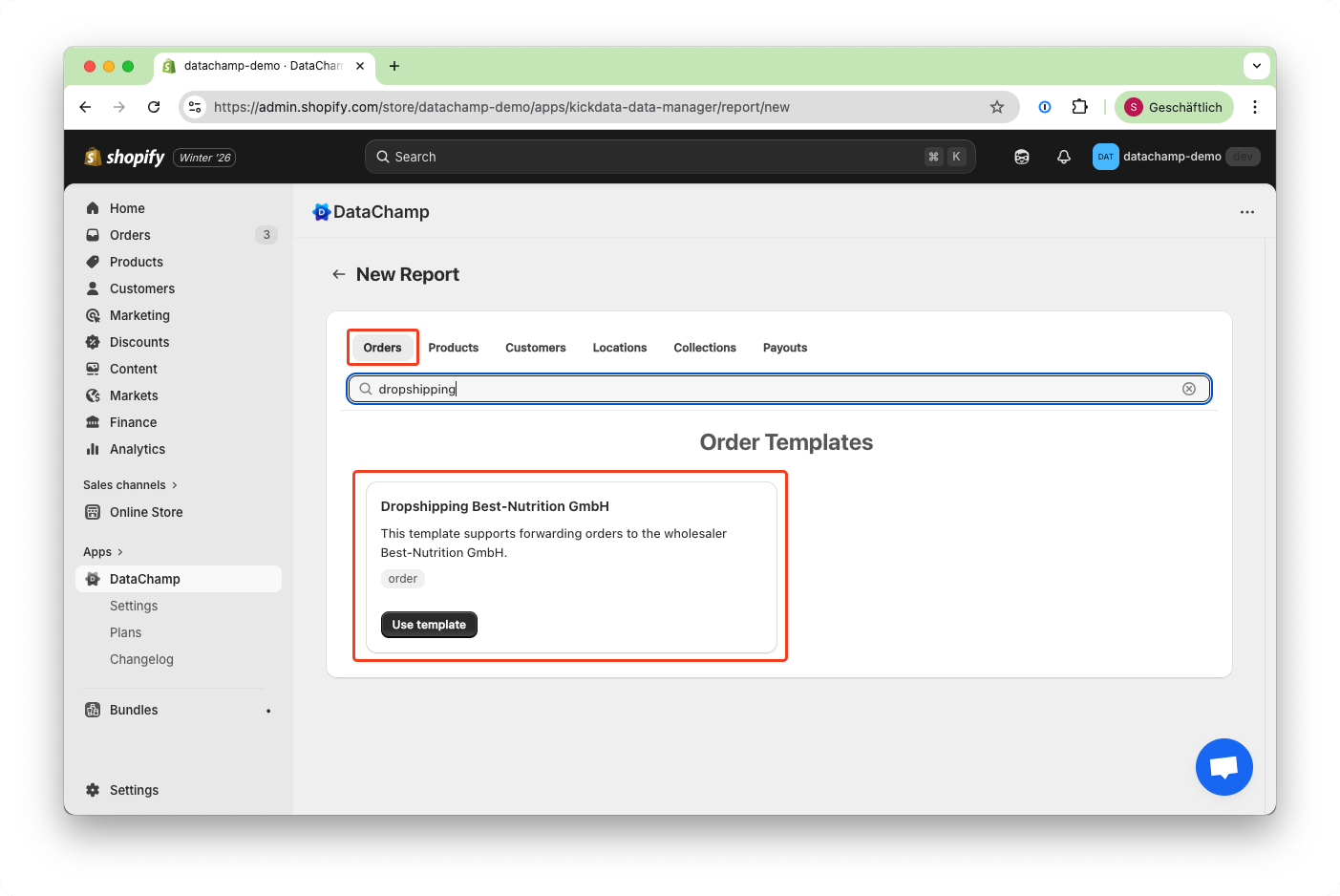
- Create a New Report
- Use the template "Dropshipping Best-Nutrition GmbH (CSV)" to generate a new report.
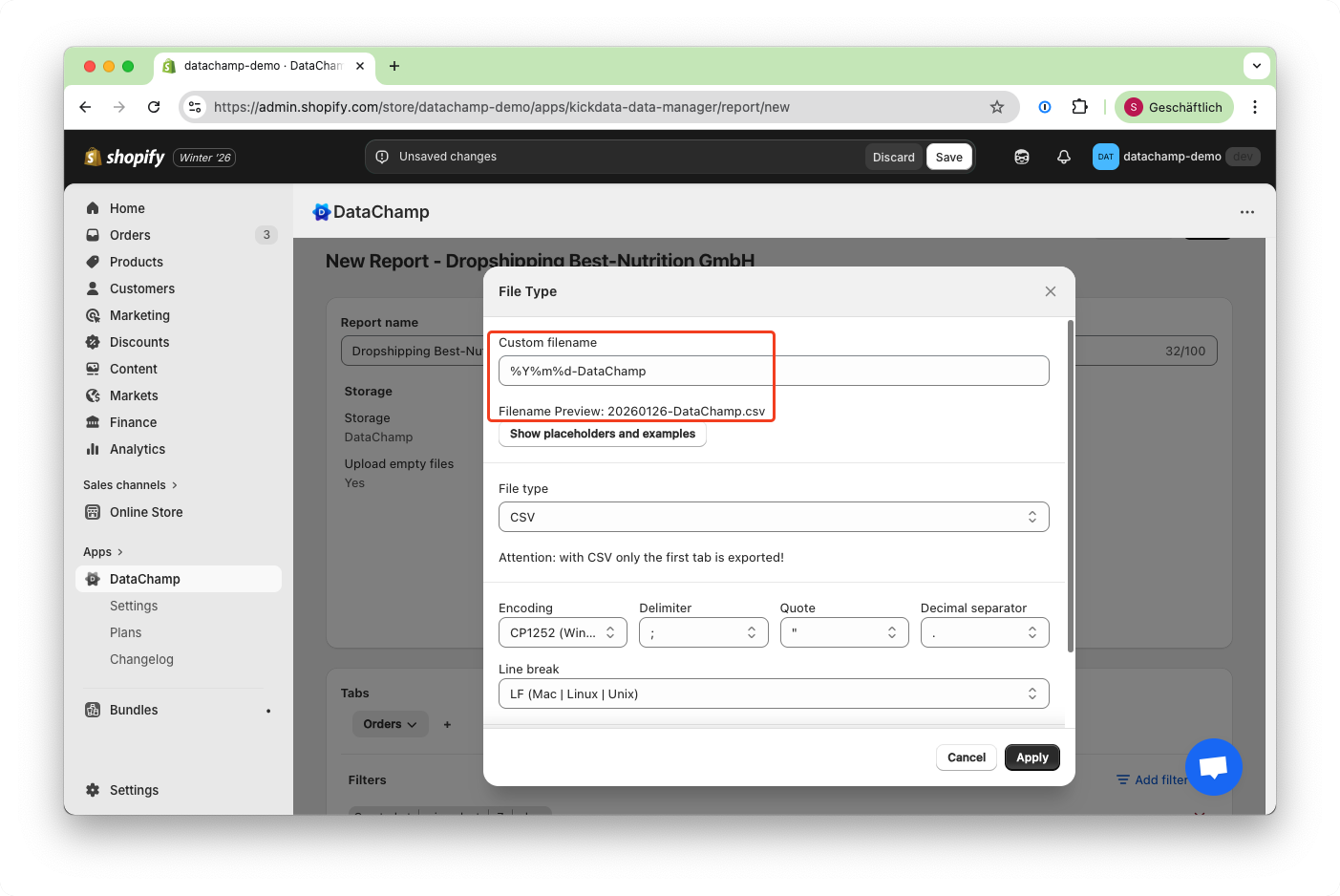
- Rename the File
- The dropshipping service requires a unique filename.
- Change the default format in "File Type" from
"%Y%m%d-put-your-shop-name-here"to one that includes your shop name, such as"%Y%m%d-DataChamp.
Review and Adjust Your Report
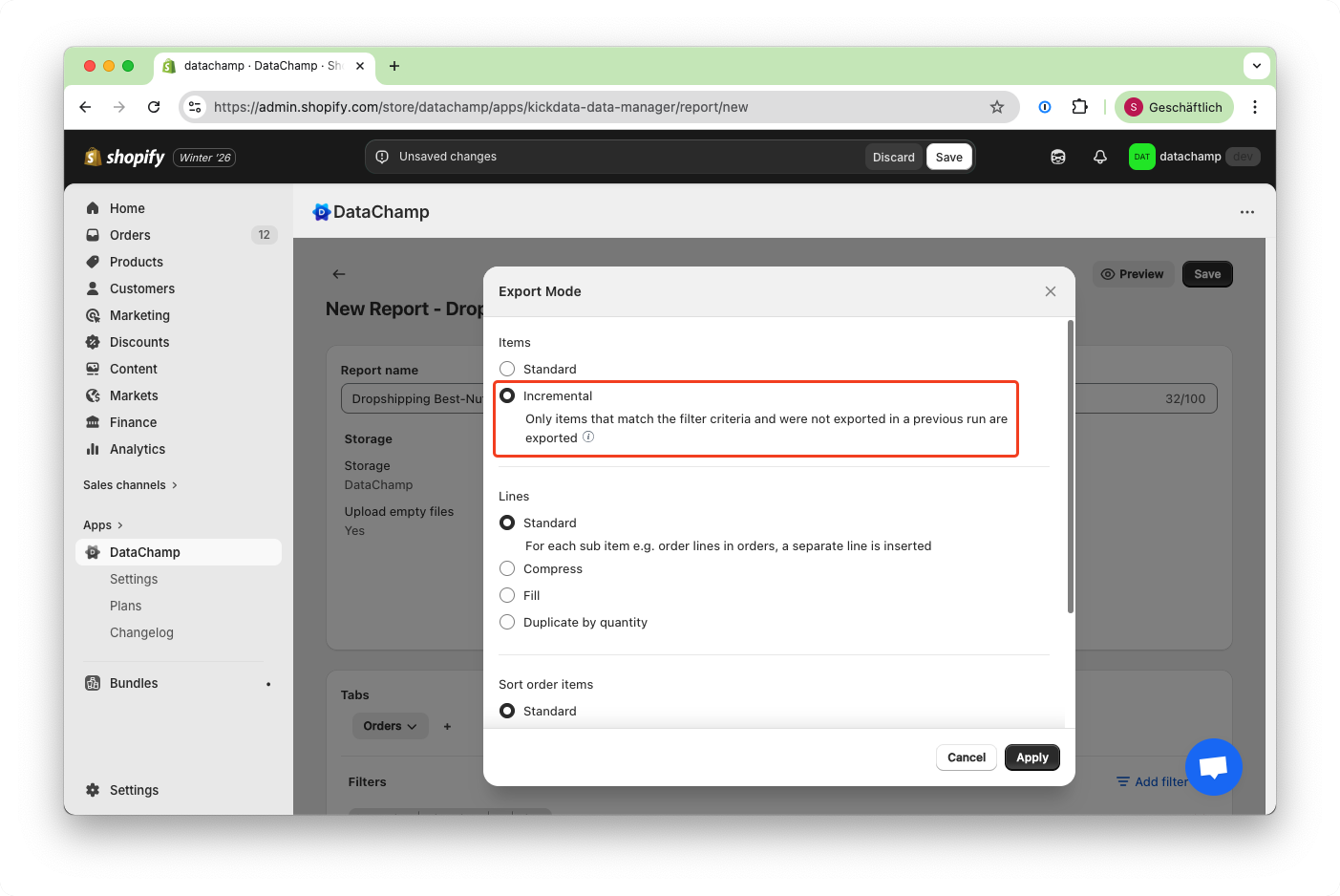
Set Export Mode to Incremental
- Change the Export Mode to "Incremental" to ensure each order is sent only once to your fulfillment service.
- Save & Run Your Report
- Click "Save" & "Run" in the top right corner.
- Add a Scheduler
- In the dashboard, click on the scheduler icon to automate your report.
- You can schedule it to run hourly, daily, or at other intervals based on your needs.