Can I Merge Multiple Columns to One Column?
Updated on
Formating Data
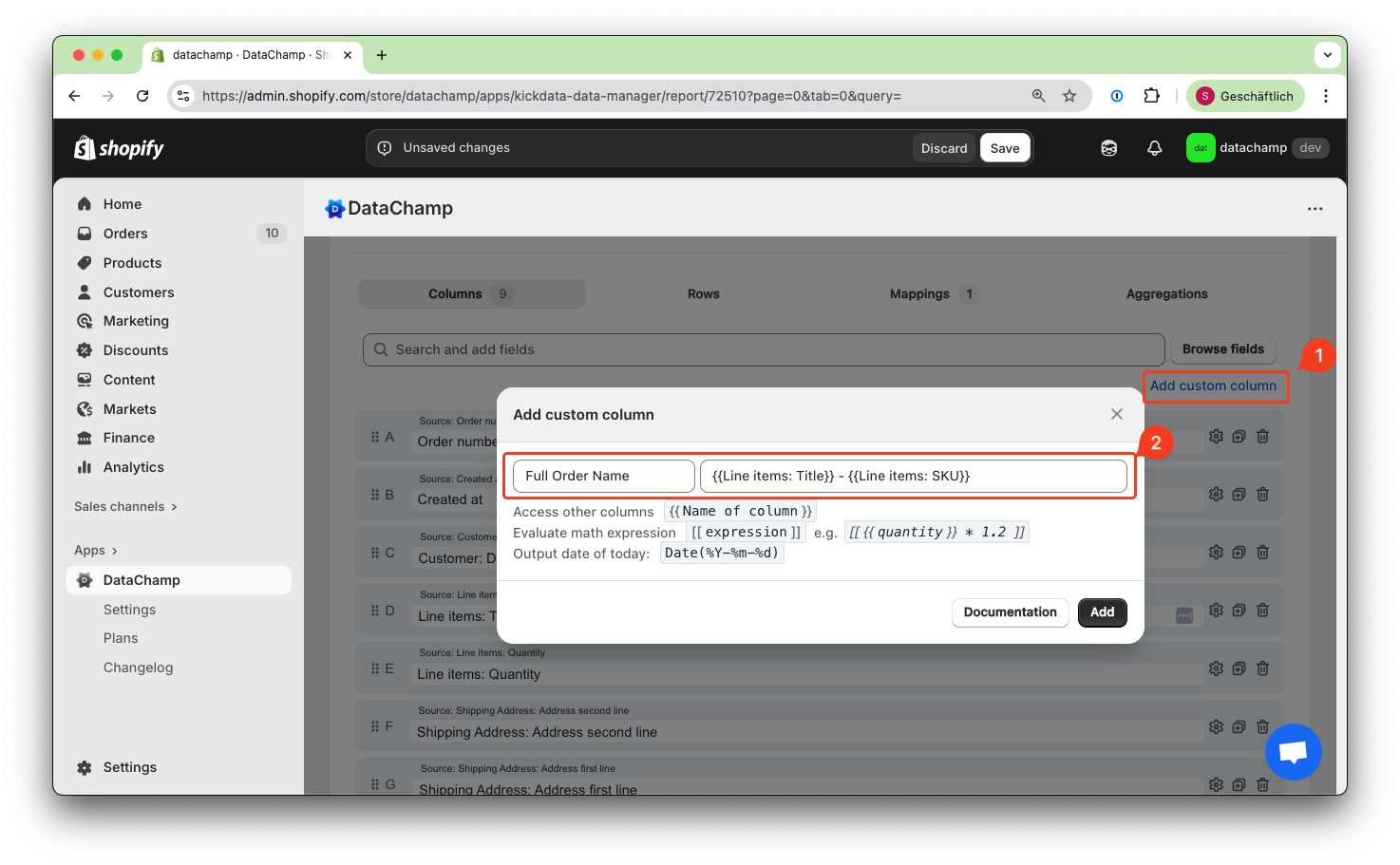
If you need to merge multiple columns into a single column, you can do so by adding a custom column and combining the desired columns. First, make sure to click on Browse and select the fields you want to merge. Then, create a custom column and use curly brackets to reference the other column.
E.g. merge the Line items: Title and the SKU.
If you want to combine two columns only under certain conditions—for example, combining "Address Line 1" and "Address Line 2" only when "Address Line 2" contains a value (i.e., is not empty)—you can use the mapping function
First - click on "Browse" and select both fields. Second - use the mapping function: