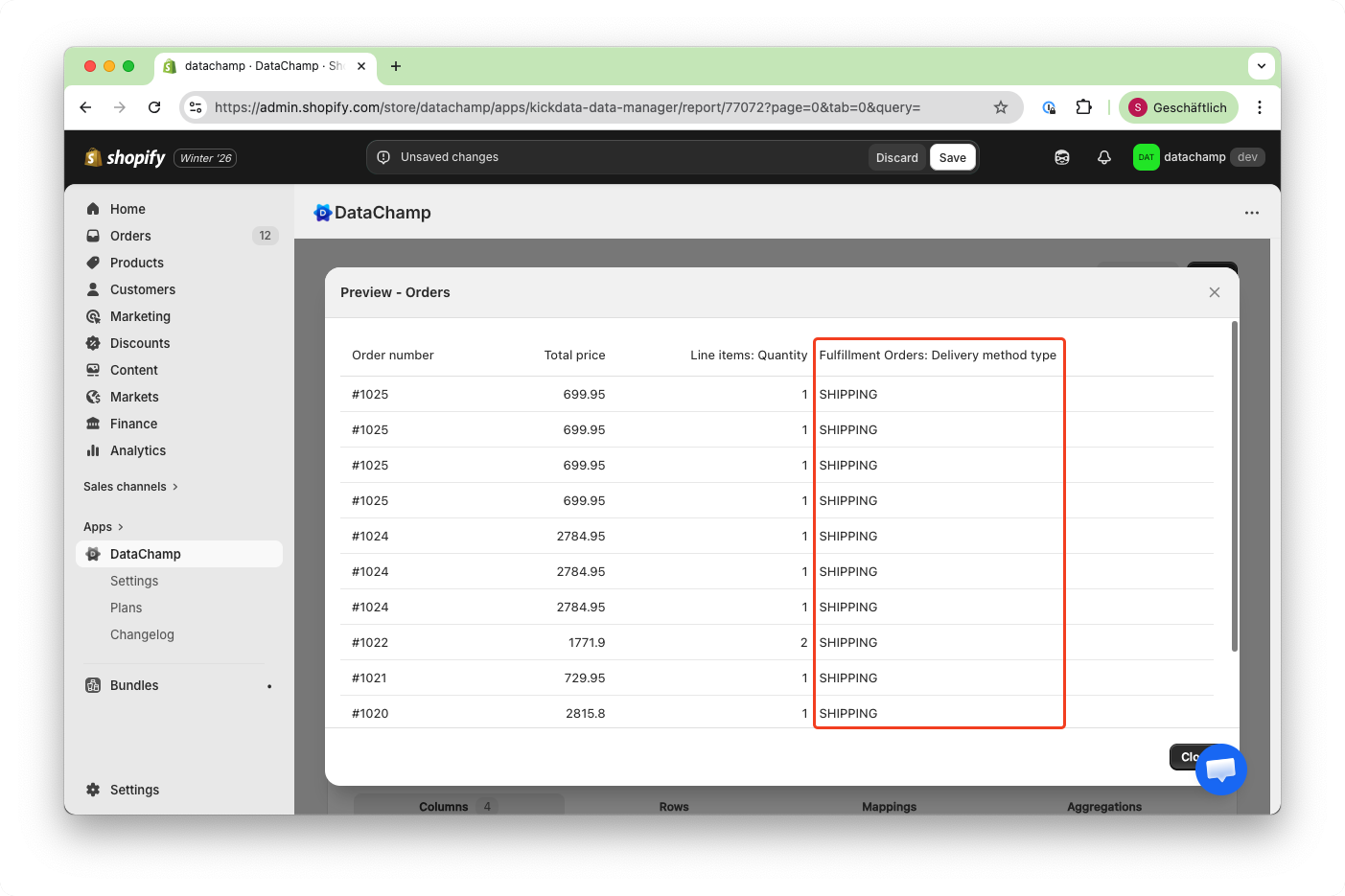
How to View and Filter Orders by Delivery Method
Updated on
Delivery Method
Learn how to view and filter orders by delivery method in Shopify using DataChamp:
This tutorial shows you how to quickly find and export orders based on the delivery method, such as shipping, local delivery, or pickup.
- Create an Order Report
- Create a new Order Report and select either a template or the "Basic Report."
- Add the Columns You Need
- Add the columns required for your report.
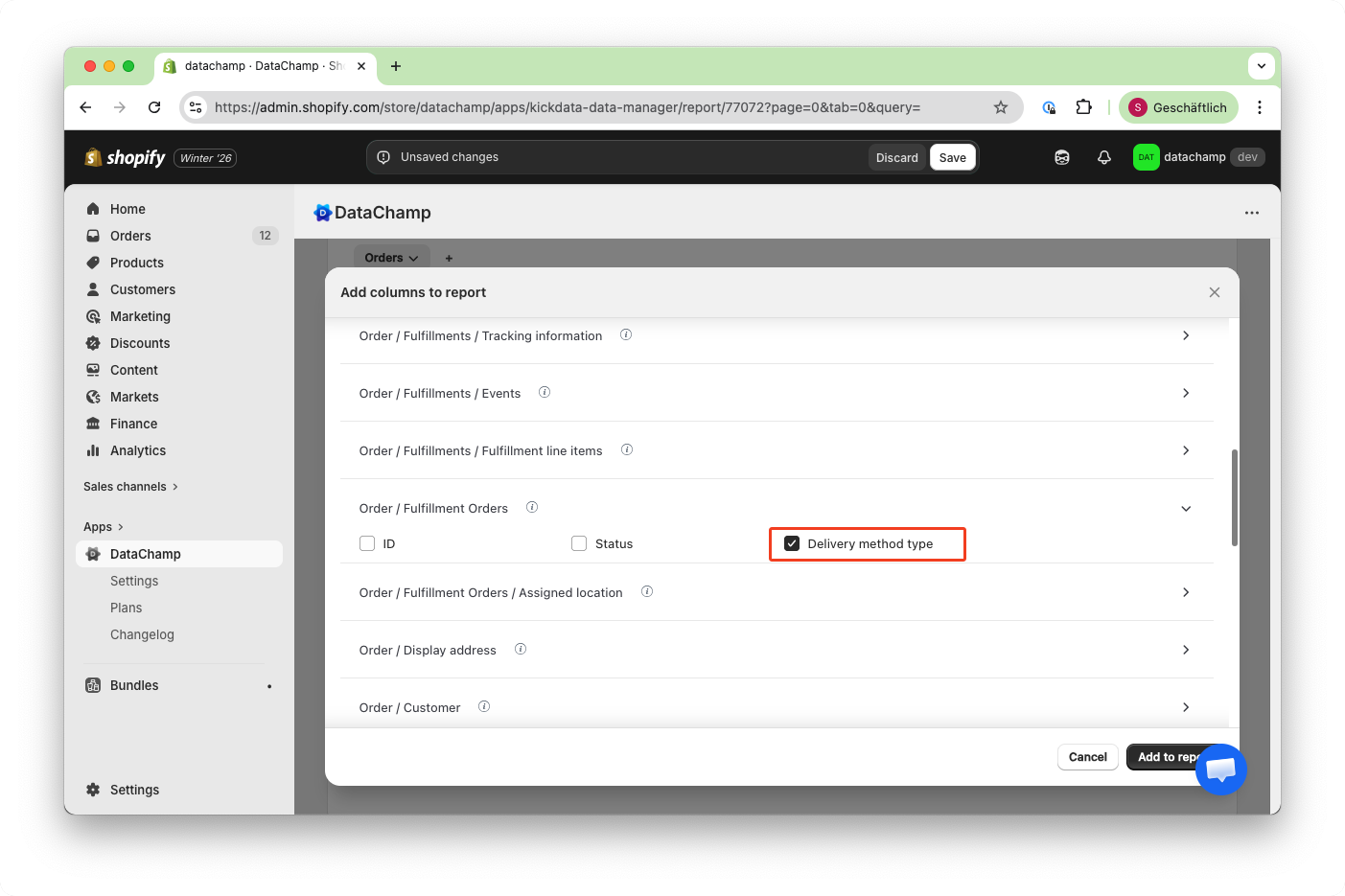
- By adding the column “Delivery Method Type,” you can see each order’s delivery method—like Shipping, Retail, Pick-Up, and more.
- Filter by Delivery Method
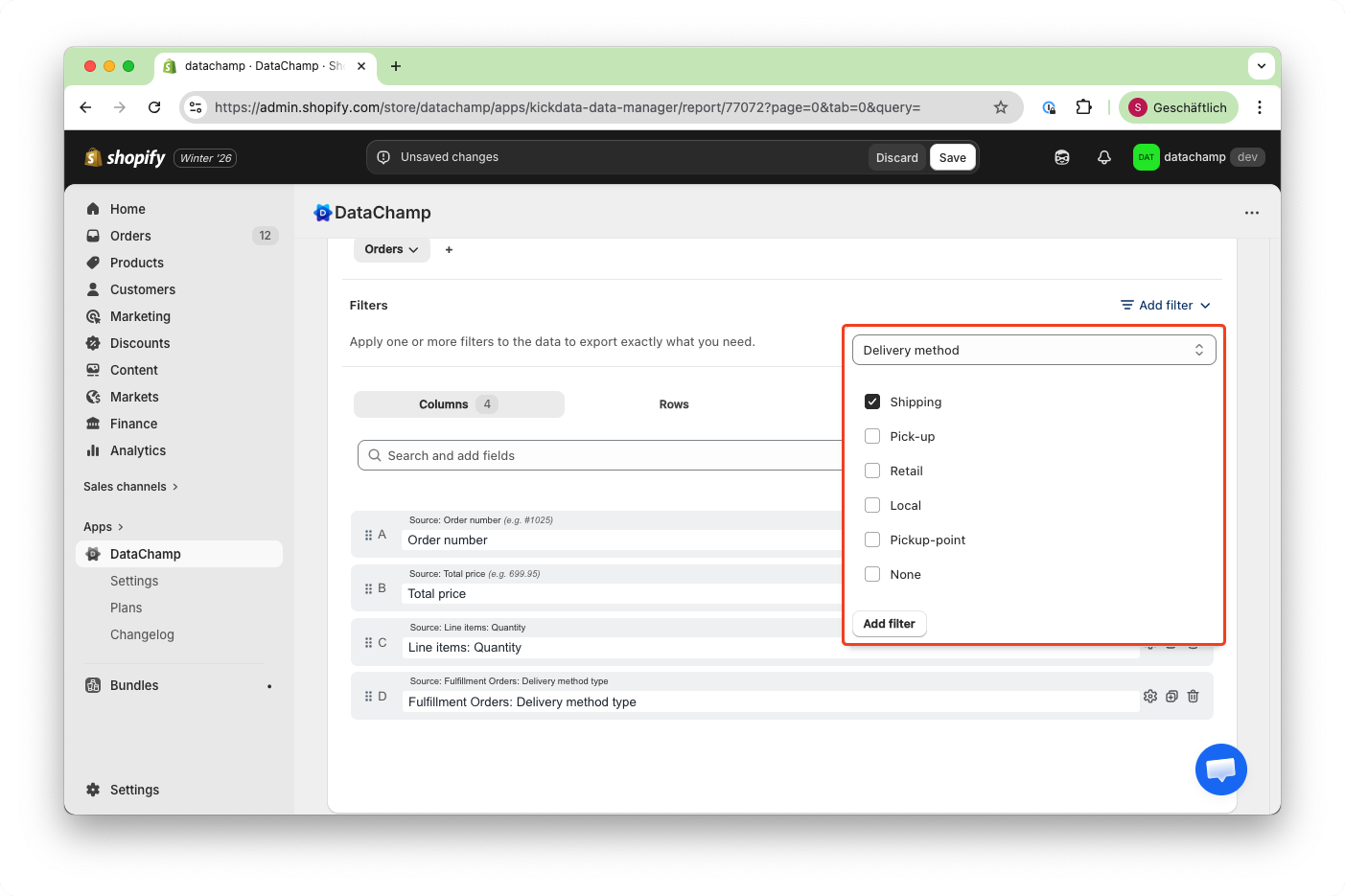
- If you want to export only orders with a specific delivery method (for example, shipping), add the filter "Delivery Method" and select "Shipping".
- Preview the Filtered Report
- Click Preview to check your report. You should now see only the orders with the selected delivery method.