Layout
Updated on
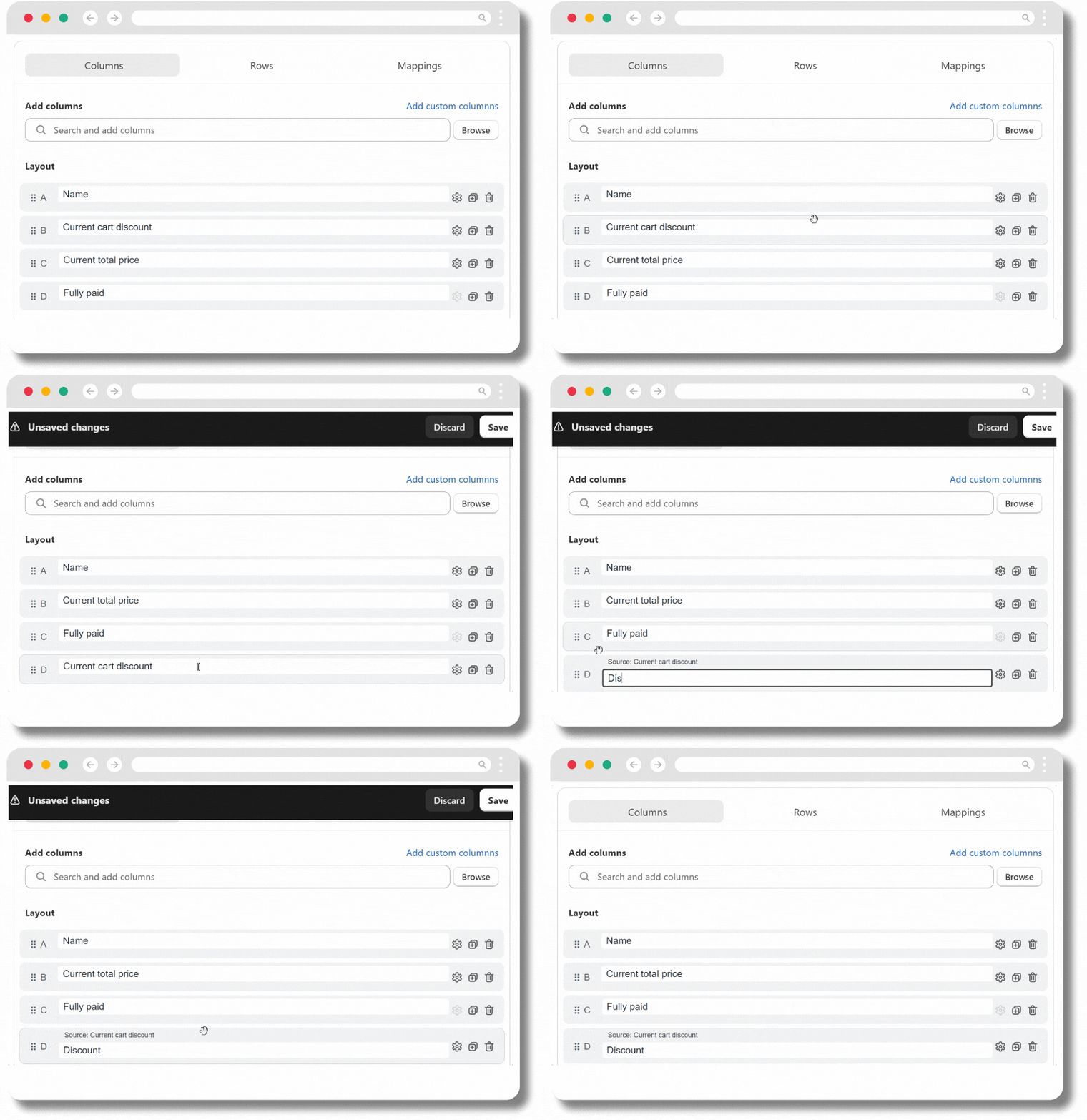
Change the column order or column name
Modify the column settings
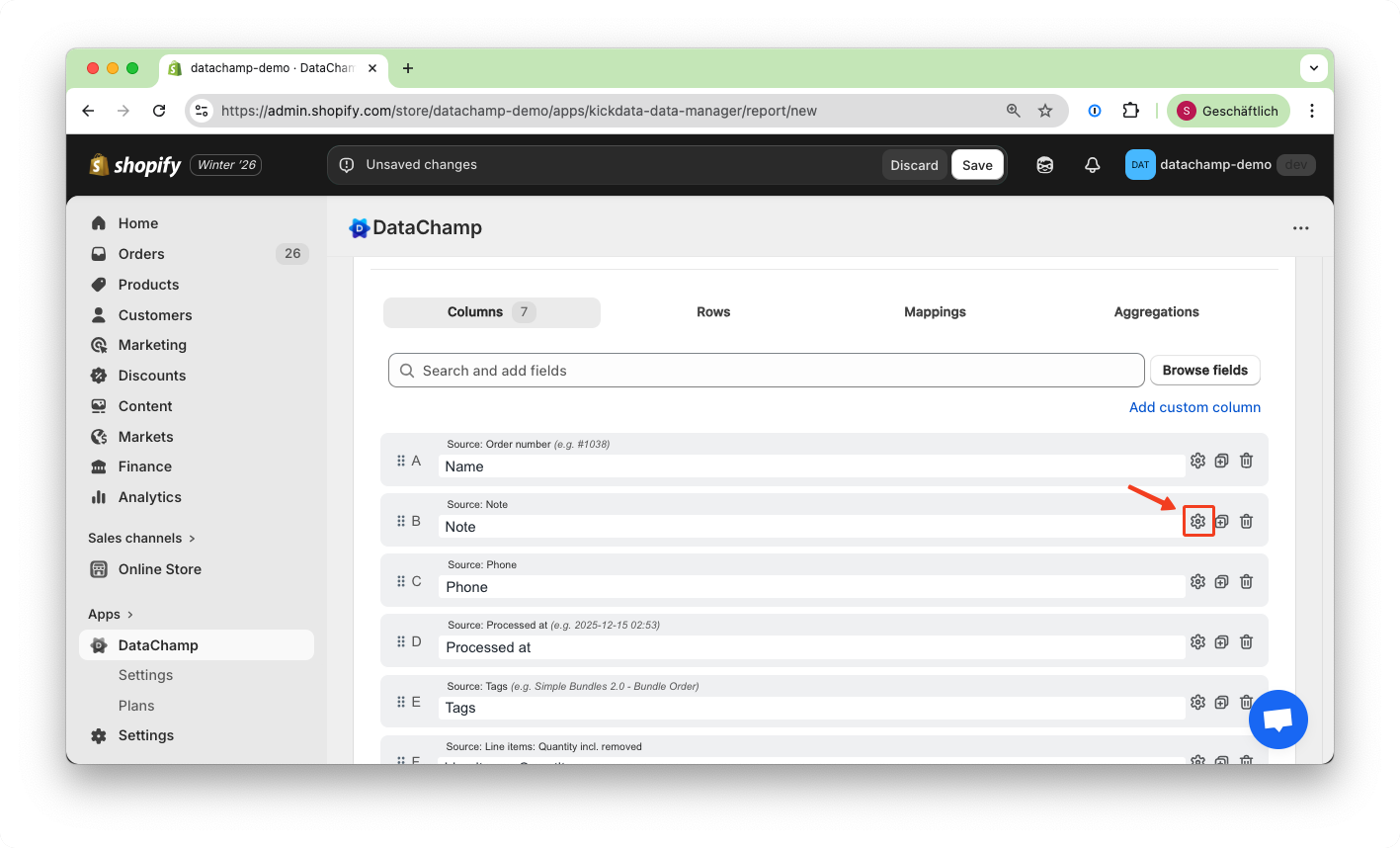
Click on the settings icon next to a column to access additional configuration options:
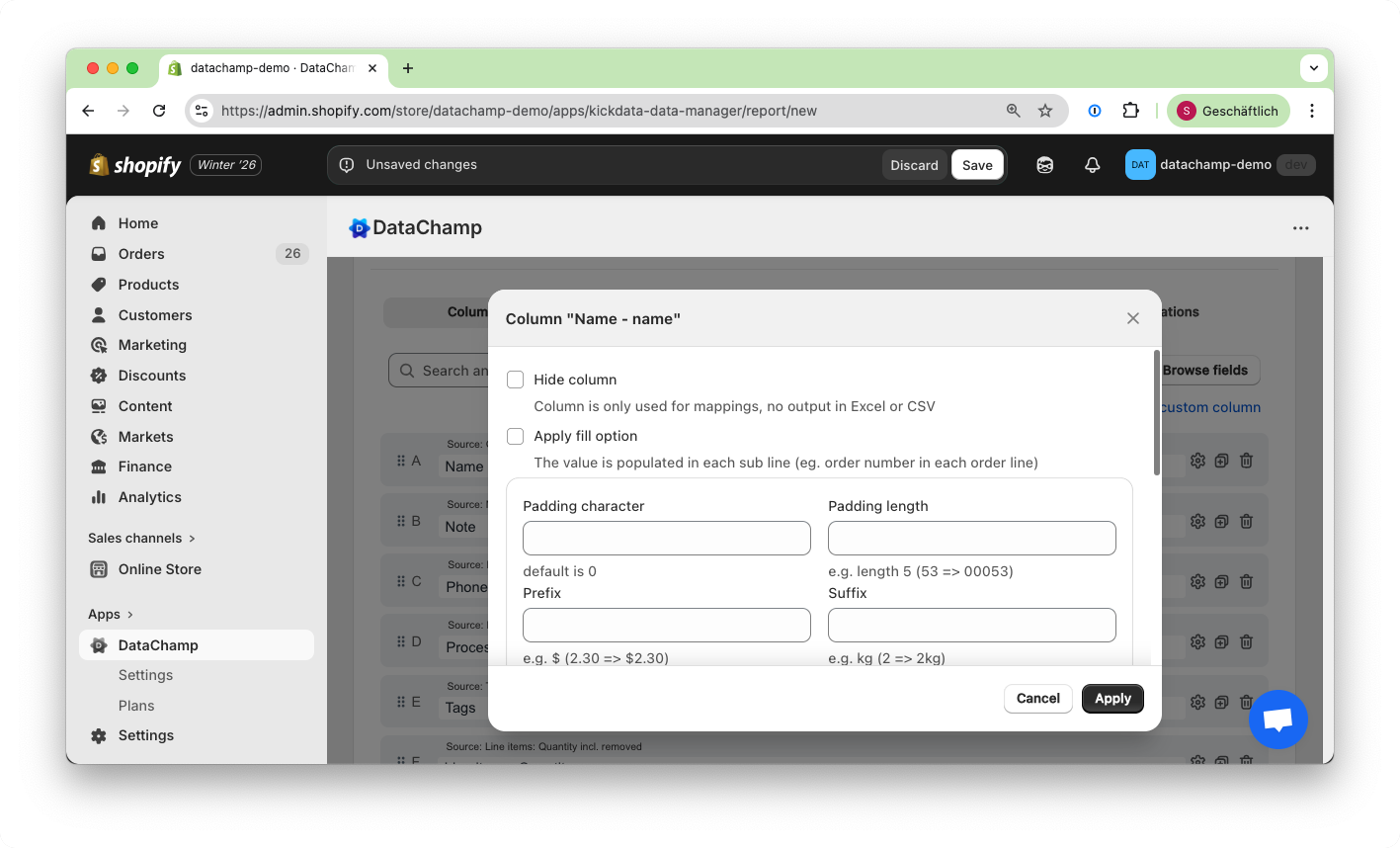
There are different options depending on the type of the column. Here is an example for a text field:
Click "Test settings" at the bottom of the settings page to instantly test your configuration.
For advanced topics, please refer to: Regex for Search and Replace, Date Format
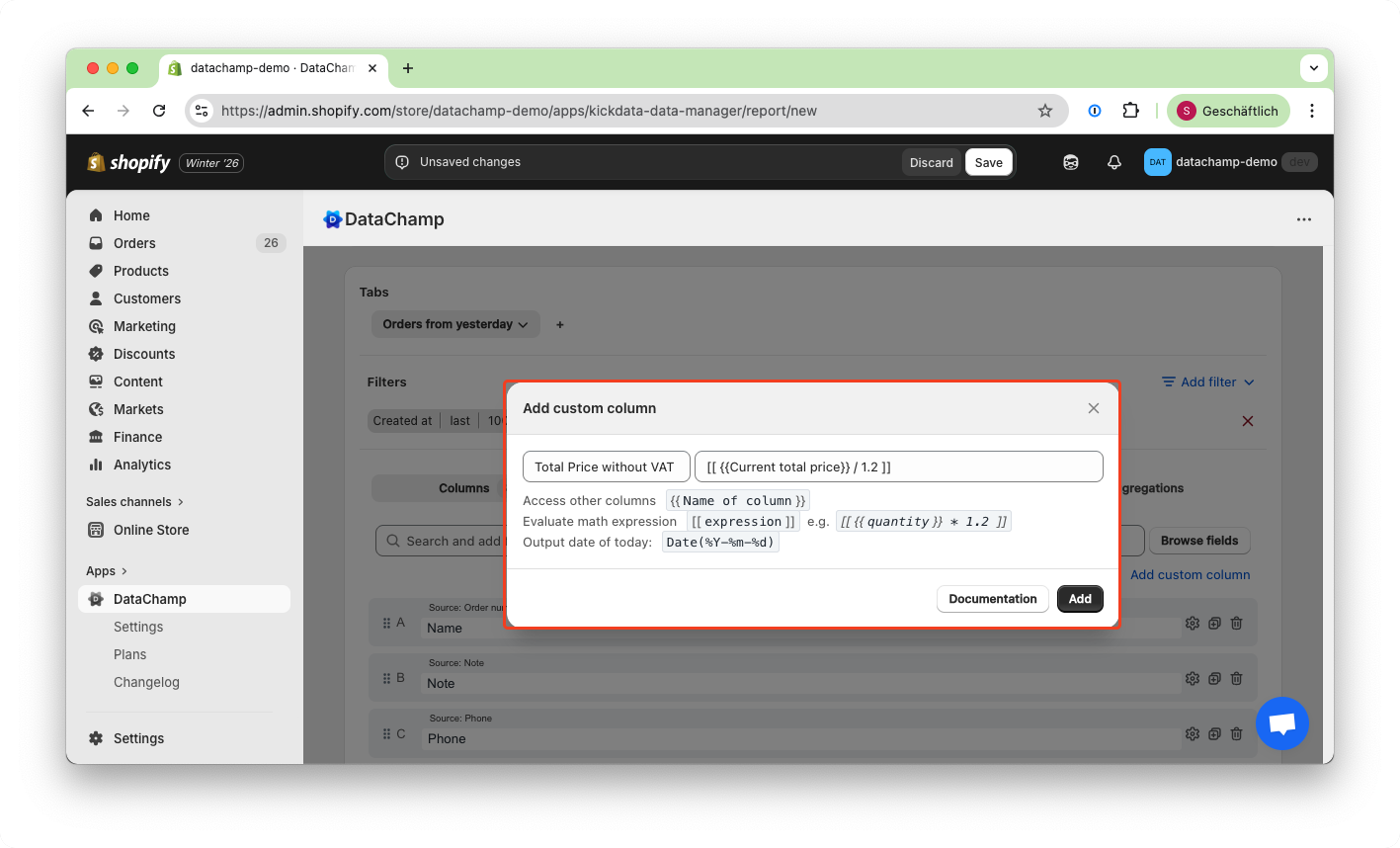
Add custom columns
To set fixed values, simply add a column as shown in this example:
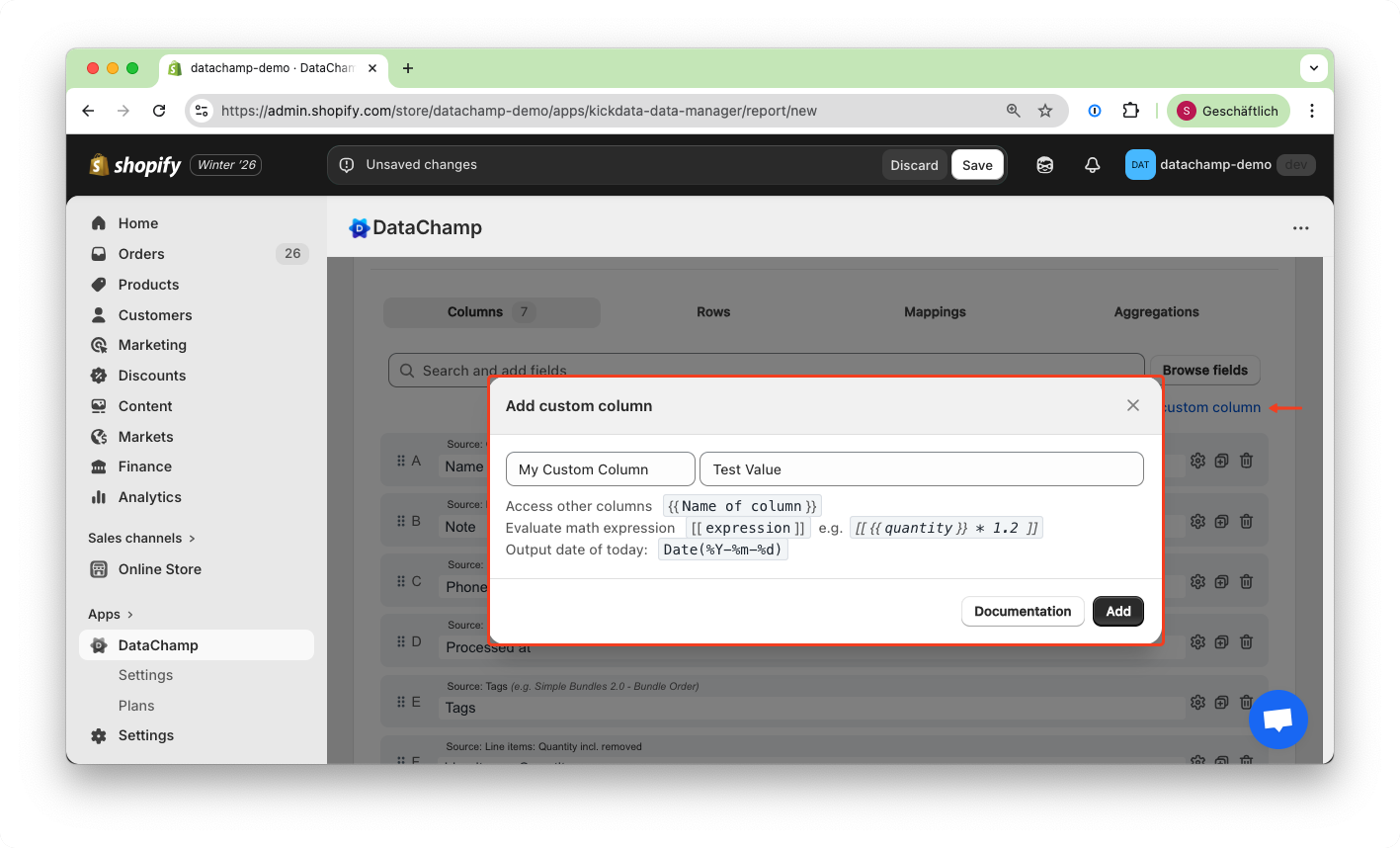
Don't forget to click the "Add" button!
If you want to use the values from other columns, do calculations or apply advanced search and replace functions, please refer to (Set the Value of a Column)
Example:
Setup columns for "keys" your metafields and custom attributes
Please follow the tutorial Columns for Metafields and Custom Attributes and Metafields to learn how to set up columns for "keys" of your metafields and custom attributes.