Metafields
Updated on
Metafields are custom fields that let you store and display specialized information about products, orders, and other objects in your Shopify store—details that aren’t available in the default Shopify admin. You can set up metafields directly in Shopify or by using third-party apps. DataChamp simplifies exporting those metafields.
YouTube Tutorial
Step by Step Tutorial
First, create metafields in Shopify or by using third-party apps. In this tutorial, we’ll explain how to create metafields in Shopify.
You can create metafields in the Shopify-Settings under "Metafields and metaobjects".
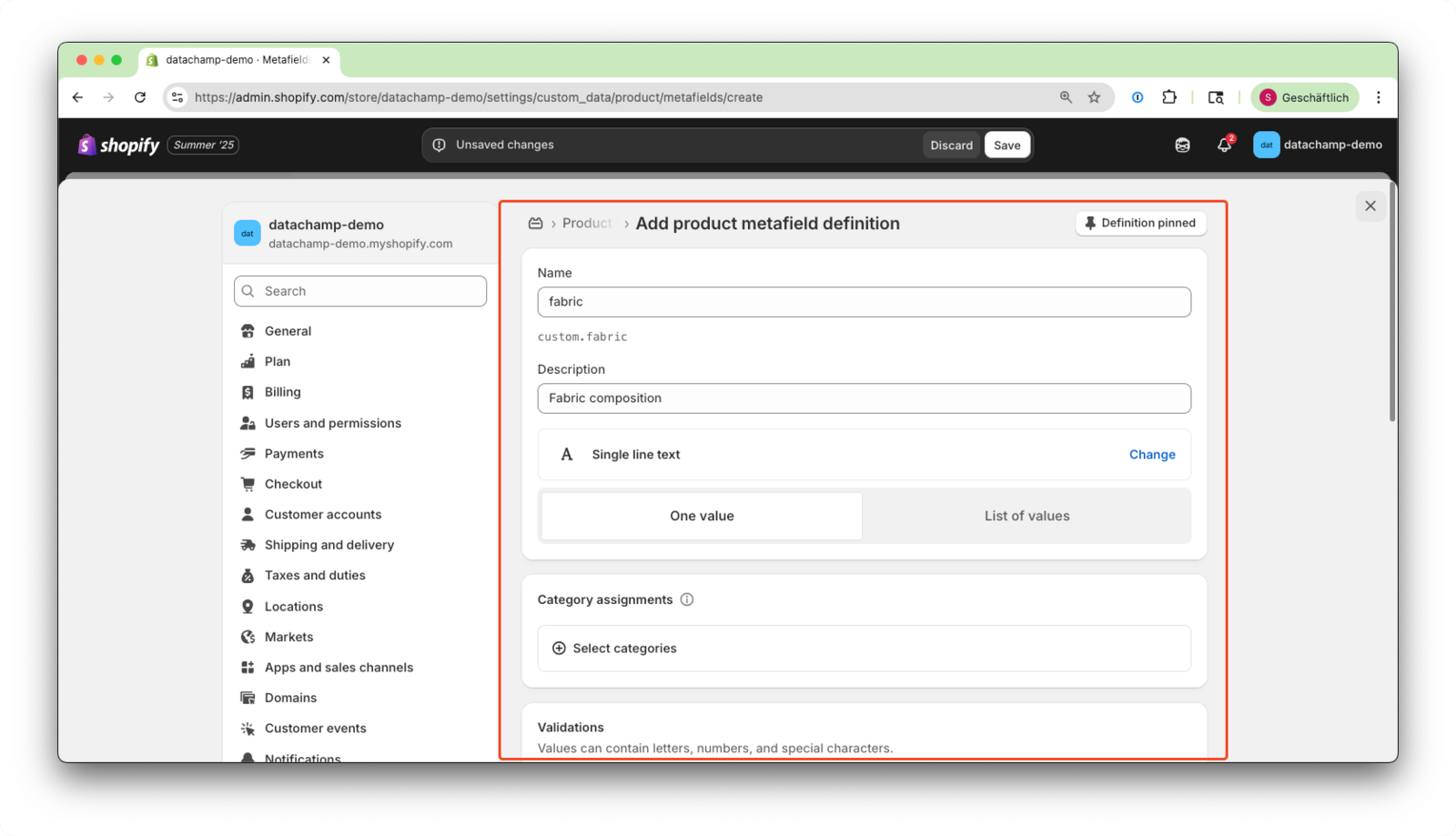
Here is an example of a product metafield:
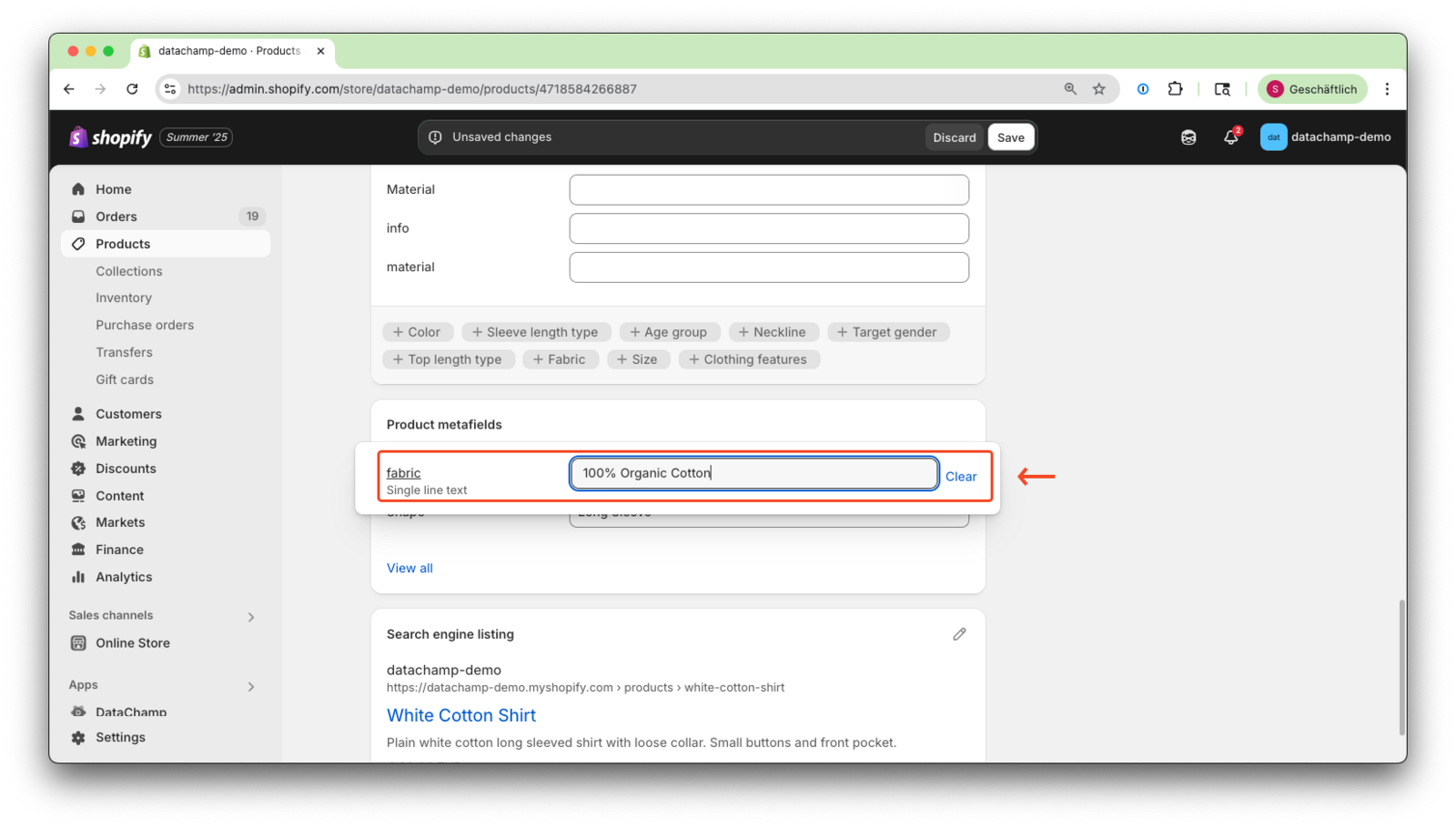
Next, assign the metafield to a product, as shown in the screenshot below:
After assigning the metafield, you can create a product report in DataChamp.
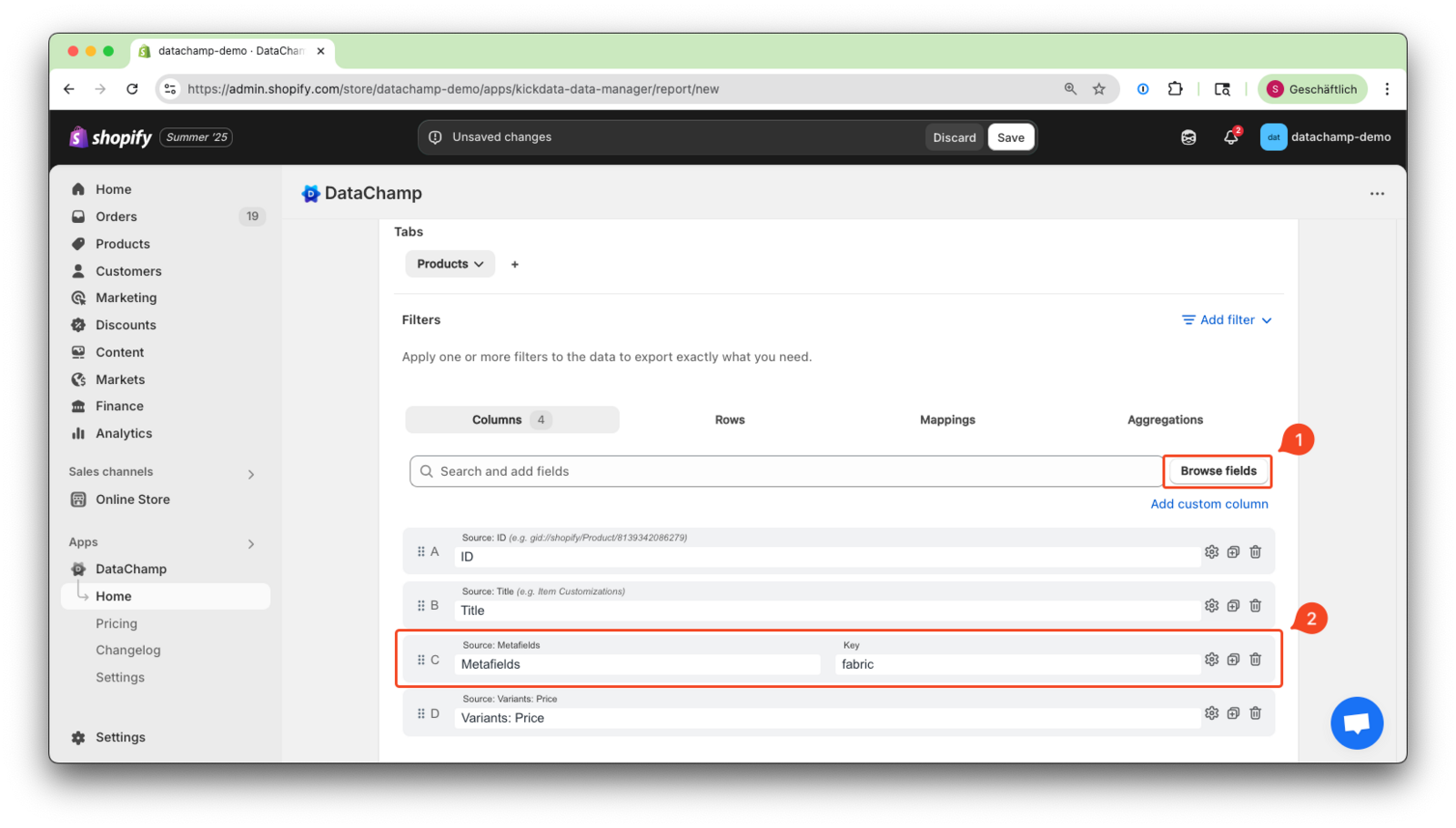
1. Browse or search for the product metafield in the columns and add any other columns you need.
2. Then, insert the key of the metafield:
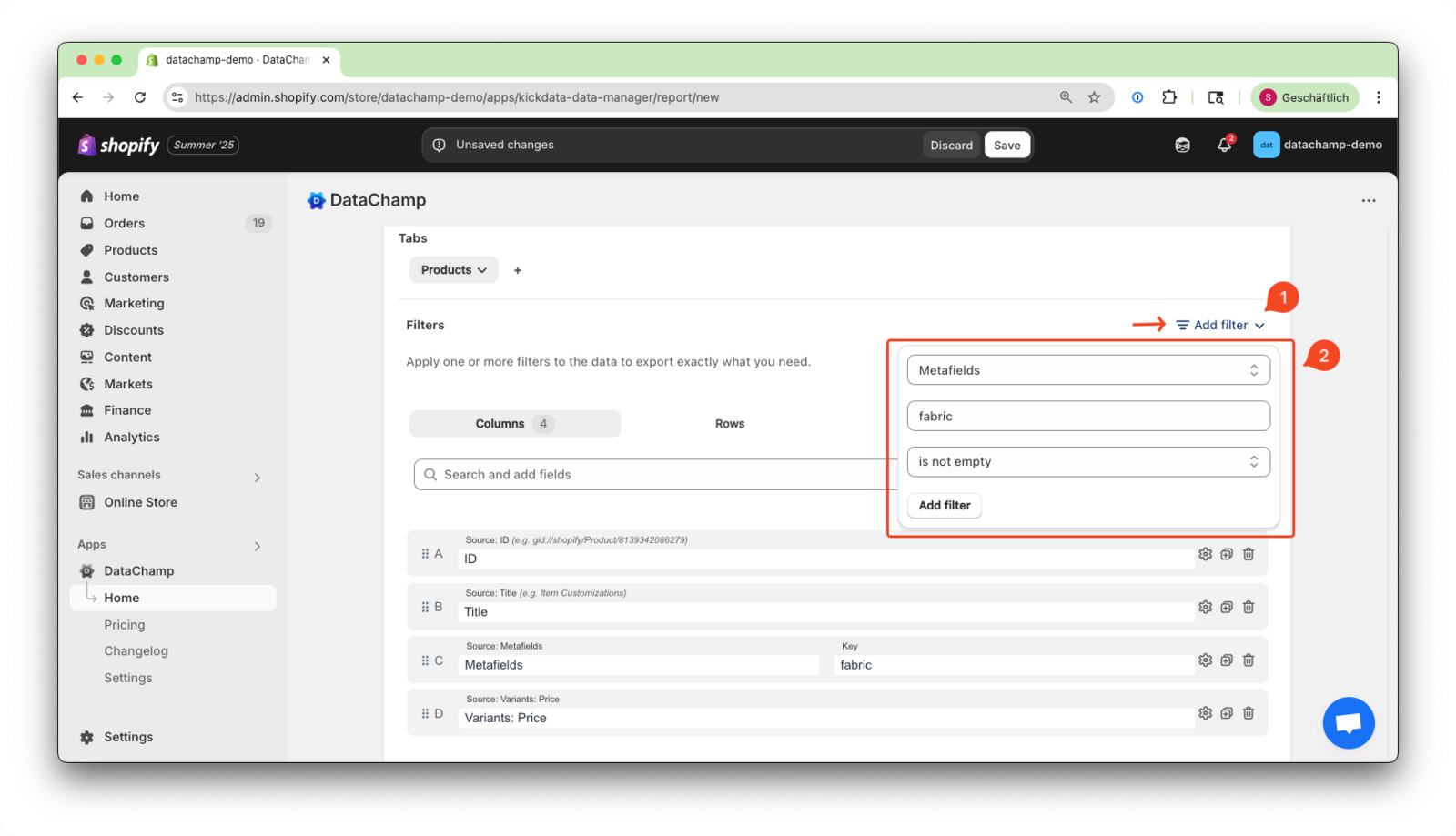
Optionally, you can filter the metafields—for example, only show metafields when a product has them.
You can also filter for products with a specific metafield e.g. "100% organic cotton".
Finally, preview the report to ensure everything looks correct, then save and run it.