Transferring Reports from One Shopify Shop to Another
Updated on
Transferring Reports
If you are closing your current store and need to transfer your existing reports, follow these steps:
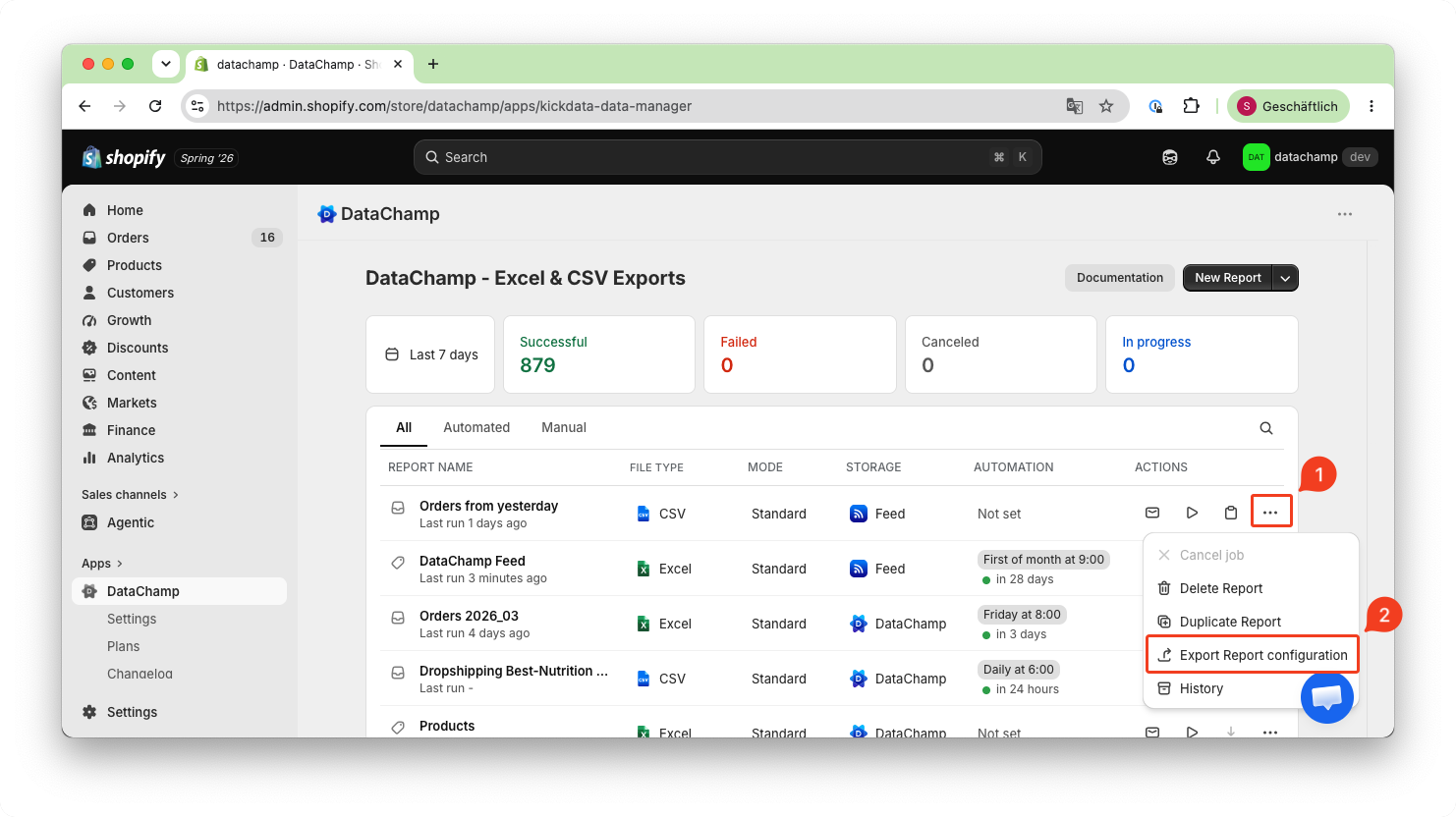
- Export Your Current Report Configurations
- Click on the three dots ( 1 ) → "Export Report configuration" ( 2 )
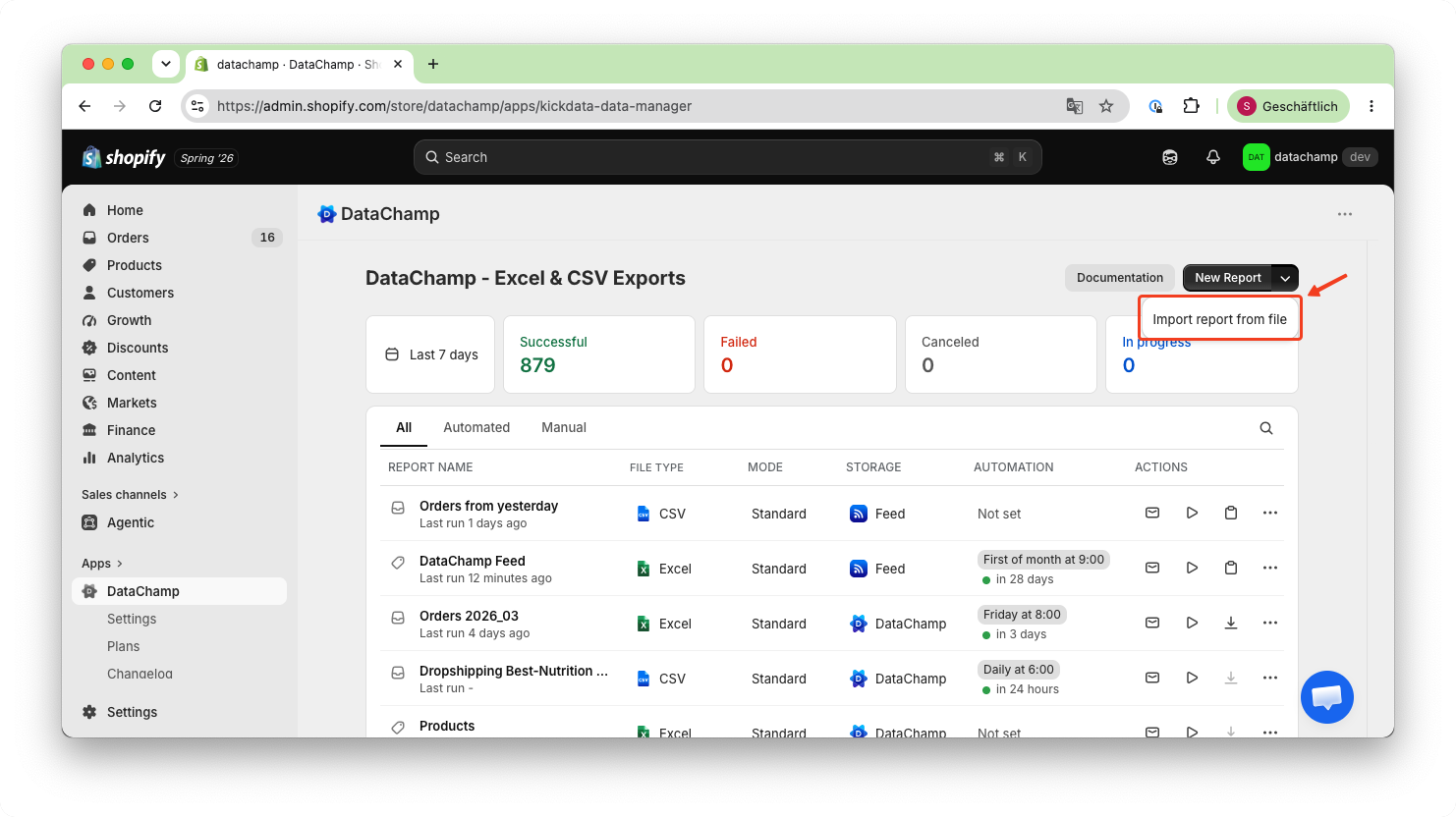
- Import the Report Configuration into the New Shop
- Click on the small arrow next to "New Report" and select "Import report from file".
- Upload the previously exported file to restore your reports.
- Cancel Your Old Subscription
- Navigate to "Plan" → "Cancel Subscription" to stop billing for the old store.