To change the date format of a field, click on "Format options" located on the right side of the field.
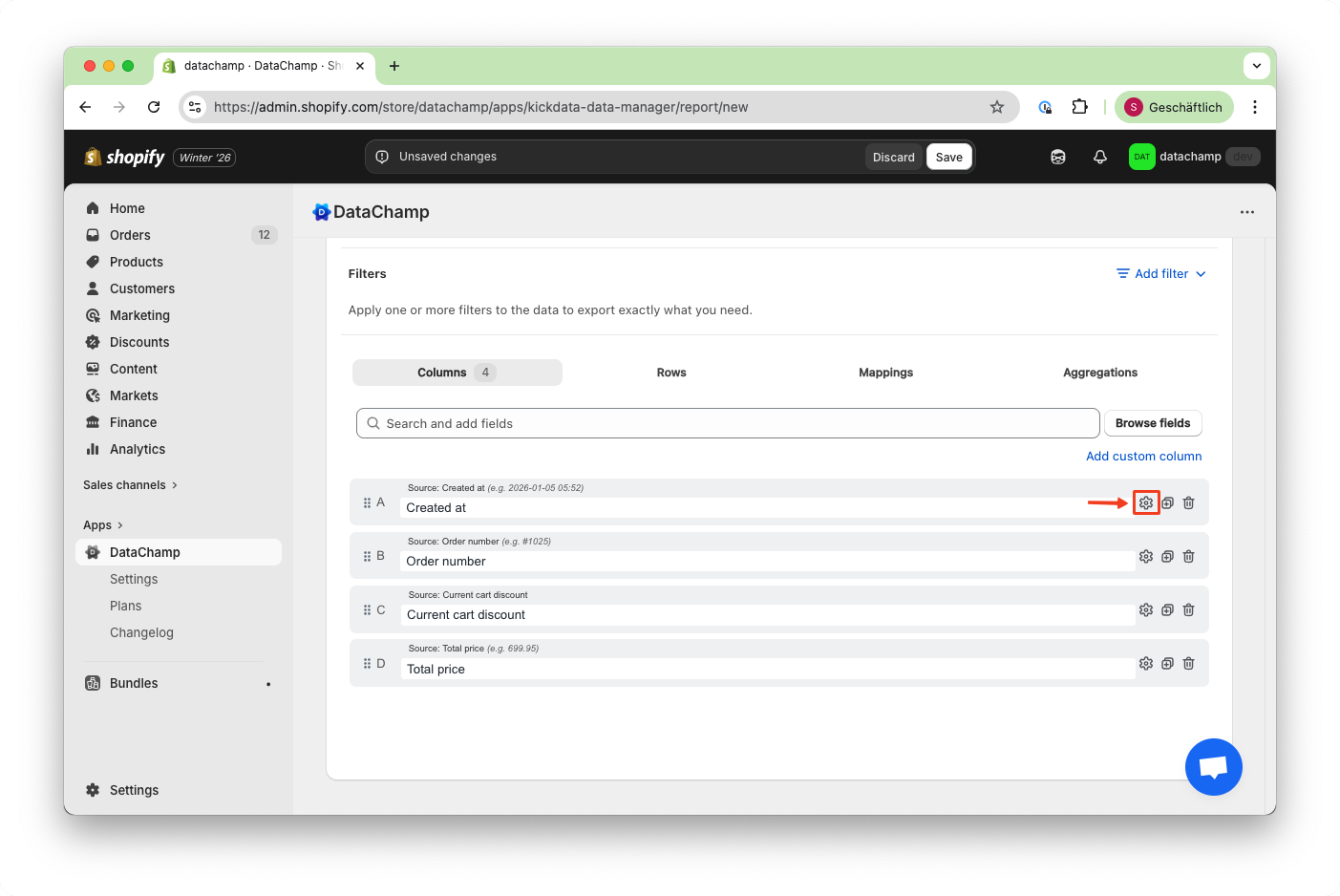
To customize the presentation of date values, specify the desired format. Only set this if you need formatted date values, such as for CSV files.
When a format is applied, the column will be treated as text in Excel and will no longer be recognized as a date. To revert to the default format, simply clear the format field.
Here are some common date formats and their outputs:
- YYYY/MM/DD => 2024/06/26
- DD.MM.YYYY => 26.06.2024
- MM-DD-YYYY => 06-26-2024
- YYYY-MM-DD => 2024-06-26
- DD/MM/YYYY => 26/06/2024
- DD-MM-YYYY => 26-06-2024
- YYYY.MM.DD => 2024.06.26
- D MMM YYYY => 26 Jun 2024
- MMM D, YYYY => Jun 26, 2024
- MMMM D, YYYY => June 26, 2024
You can also combine these date formats with text inside brackets, such as "[Today is] dddd". To simplify editing, our app provides an instant "Date Preview" feature:
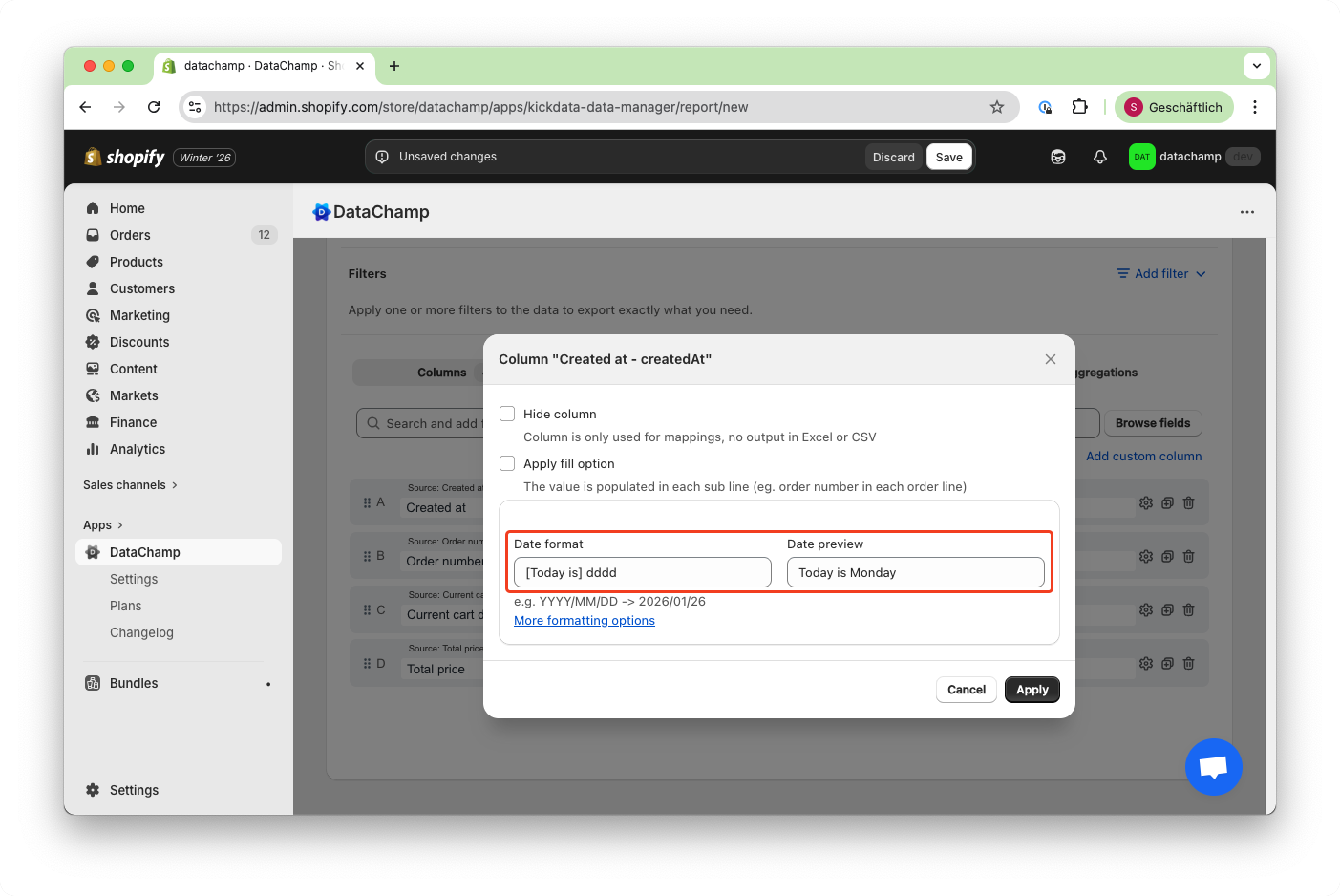
If you need more complex formats, you can use the following "tokens" to create your own custom date format:
#Month
| Token |
Output |
| M |
1 2 ... 11 12 |
| Mo |
1st 2nd ... 11th 12th |
| MM |
01 02 ... 11 12 |
| MMM |
Jan Feb ... Nov Dec |
| MMMM |
January February ... November December |
#Quarter
| Token |
Output |
| Q |
1 2 3 4 |
| Qo |
1st 2nd 3rd 4th |
#Day of Month
| Token |
Output |
| D |
1 2 ... 30 31 |
| Do |
1st 2nd ... 30th 31st |
| DD |
01 02 ... 30 31 |
#Day of Year
| Token |
Output |
| DDD |
1 2 ... 364 365 |
| DDDo |
1st 2nd ... 364th 365th |
| DDDD |
001 002 ... 364 365 |
#Day of Week
| Token |
Output |
| d |
0 1 ... 5 6 |
| do |
0th 1st ... 5th 6th |
| dd |
Su Mo ... Fr Sa |
| ddd |
Sun Mon ... Fri Sat |
| dddd |
Sunday Monday ... Friday Saturday |
#Day of Week (Locale)
| Token |
Output |
| e |
0 1 ... 5 6 |
#Day of Week (ISO)
| Token |
Output |
| E |
1 2 ... 6 7 |
#Week of Year
| Token |
Output |
| w |
1 2 ... 52 53 |
| wo |
1st 2nd ... 52nd 53rd |
| ww |
01 02 ... 52 53 |
#Week of Year (ISO)
| Token |
Output |
| W |
1 2 ... 52 53 |
| Wo |
1st 2nd ... 52nd 53rd |
| WW |
01 02 ... 52 53 |
#Year
| Token |
Output |
| YY |
70 71 ... 29 30 |
| YYYY |
1970 1971 ... 2029 2030 |
| Y |
1970 1971 ... 9999 +10000 +10001 |
#Week Year
| Token |
Output |
| gg |
70 71 ... 29 30 |
| gggg |
1970 1971 ... 2029 2030 |
#Week Year (ISO)
| Token |
Output |
| GG |
70 71 ... 29 30 |
| GGGG |
1970 1971 ... 2029 2030 |
#AM/PM
| Token |
Output |
| A |
AM PM |
| a |
am pm |
#Hour
| Token |
Output |
| H |
0 1 ... 22 23 |
| HH |
00 01 ... 22 23 |
| h |
1 2 ... 11 12 |
| hh |
01 02 ... 11 12 |
| k |
1 2 ... 23 24 |
| kk |
01 02 ... 23 24 |
#Minute
| Token |
Output |
| m |
0 1 ... 58 59 |
| mm |
00 01 ... 58 59 |
#Second
| Token |
Output |
| s |
0 1 ... 58 59 |
| ss |
00 01 ... 58 59 |
#Fractional Second
| Token |
Output |
| S |
0 1 ... 8 9 |
| SS |
00 01 ... 98 99 |
| SSS |
000 001 ... 998 999 |
| SSSS ... SSSSSSSS |
000[.] 001[.] ... 998[.] 999[.] |
#Time Zone
| Token |
Output |
| Z |
-07:00 -06:00 ... +06:00 +07:00 |
| ZZ |
-0700 -0600 ... +0600 +0700 |
#Unix Timestamp
| Token |
Output |
| X |
1360013296 |
#Unix Millisecond Timestamp
| Token |
Output |
| x |
1.36001E+12 |