Combine Two Fields
Updated on
Combine Two Fields Into One
In this tutorial, we'll walk you through a simple example on how to combine two fields into one:
Combine Address First Line and Second Line
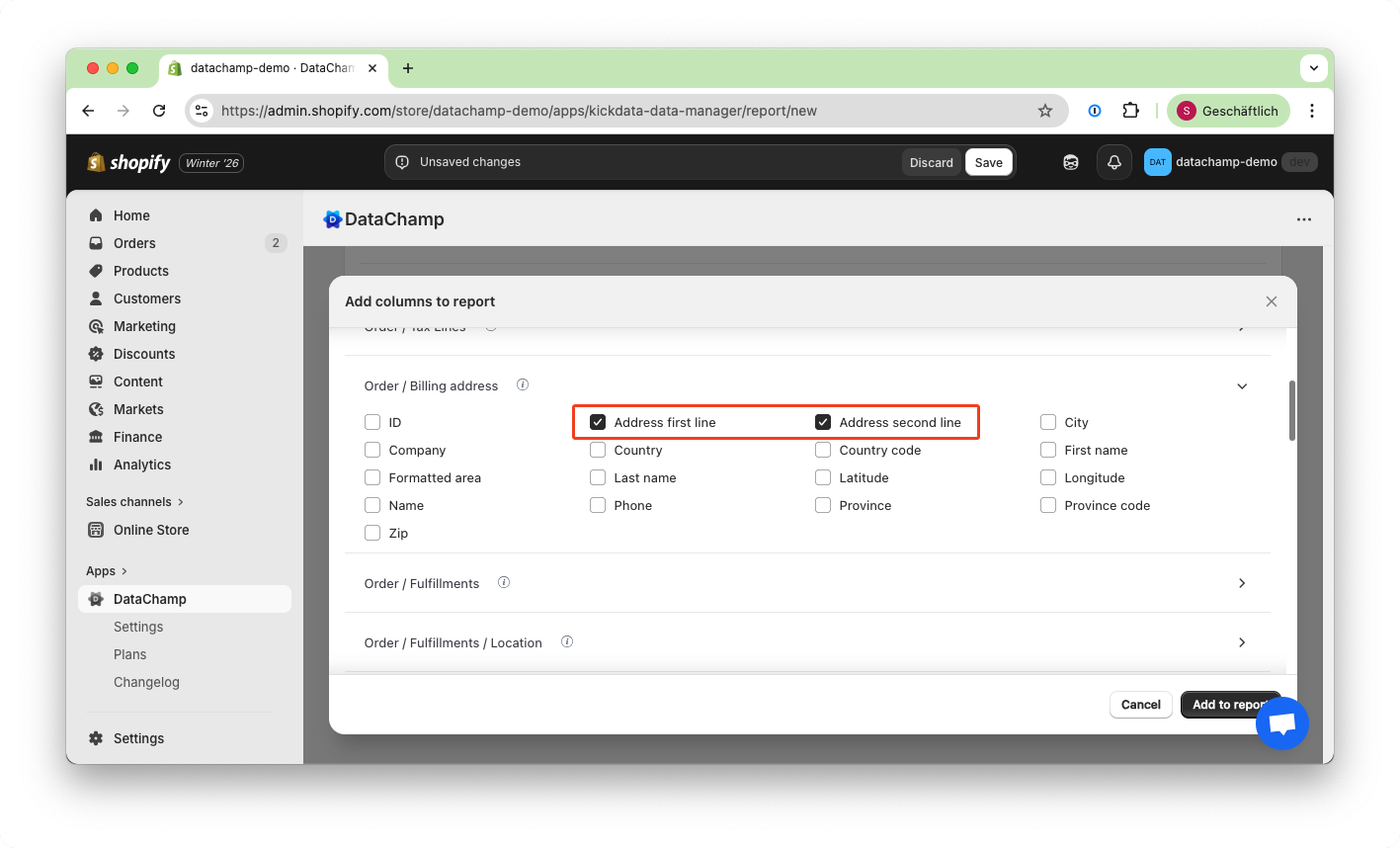
If you want to export only one address line column without losing the second line's information, you can combine both columns as follows:
- Select both address fields
- Use the search field (e.g., type "address" to quickly find the relevant fields.
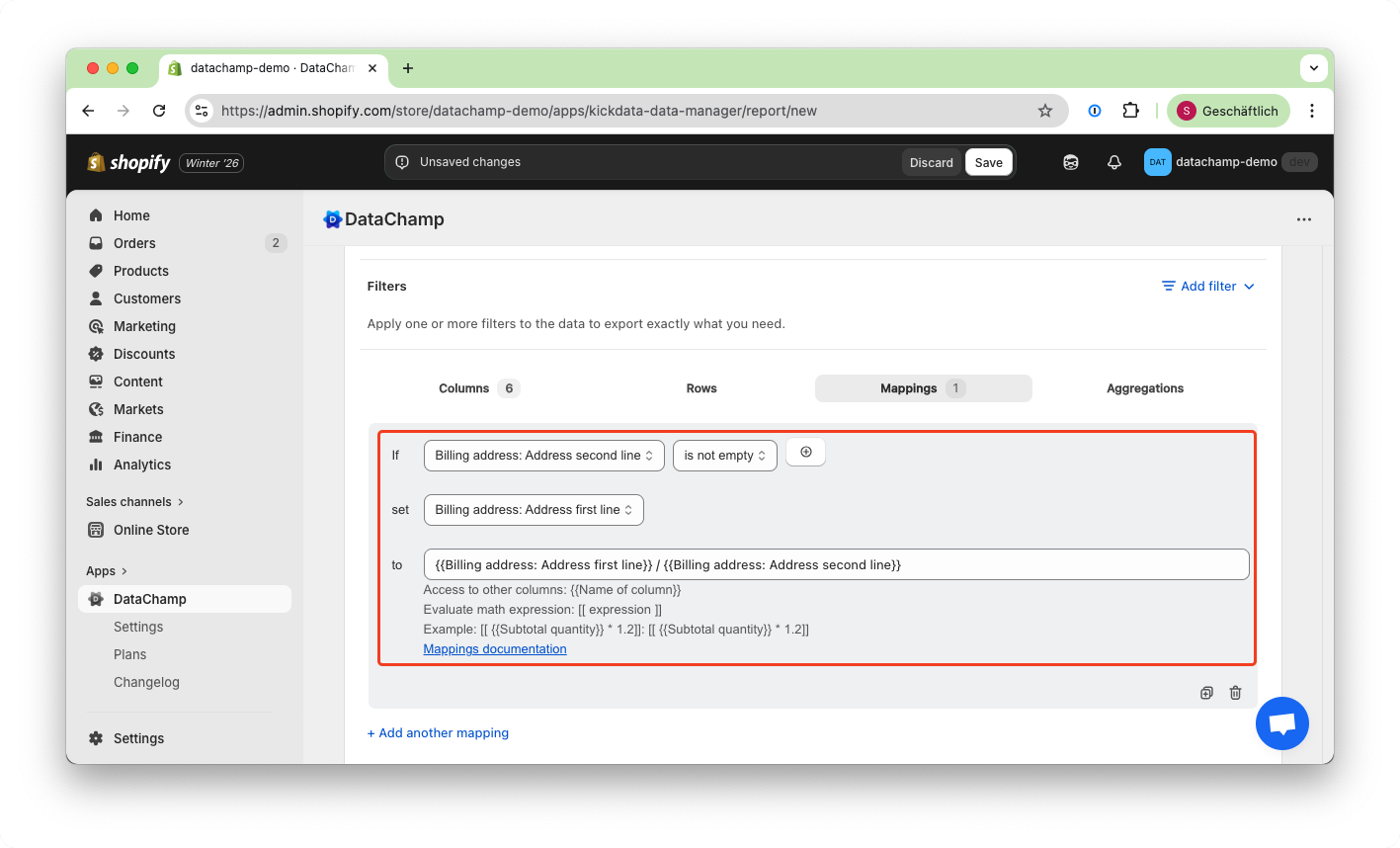
- Add a Mapping with the following setup:
- Ensure the mapping correctly merges the two address lines.
Don't forget to click "Add" or "Update" to save your changes!
Explanation:
- The "If" condition checks whether a second address line is present.
- If yes, the first line is updated using both values:
{{ Shipping Address: Address First Line }}
{{ Shipping Address: Address Second Line }}
- This ensures that both lines are retained. If we updated the first line using only the second line’s content, the first line’s information would be lost.
For a complete understanding of how this works, please refer to: Set the Value of a Column