Filter
Updated on
Filters allow you to customize the data exported in your Excel or CSV files.
Depending on the field type, different filter options are available:
Date fields:
- after (a date)
- before (a date)
- between (two date values)
- current
- is empty
- last (# of days)
- on (given date)
Char fields (e.g. email, name, ...):
- equals to any of
- not equal to any of
- is empty
- is not empty
- starts with
Special fields:
- e.g., Risk Level → choose between High, Low, Medium
- e.g., Status → choose between Open, Closed, Cancelled
- e.g., Product Status → choose between Active, Draft, Archived
Quantity fields (e.g., refunded quantity, current quantity)
- equals
- less than
- more than
- equal or less than
- equal or more than
Custom Term Filter:
- The Custom Term Filter allows you to filter any selected text field for custom words or text patterns.
Adding and editing filters
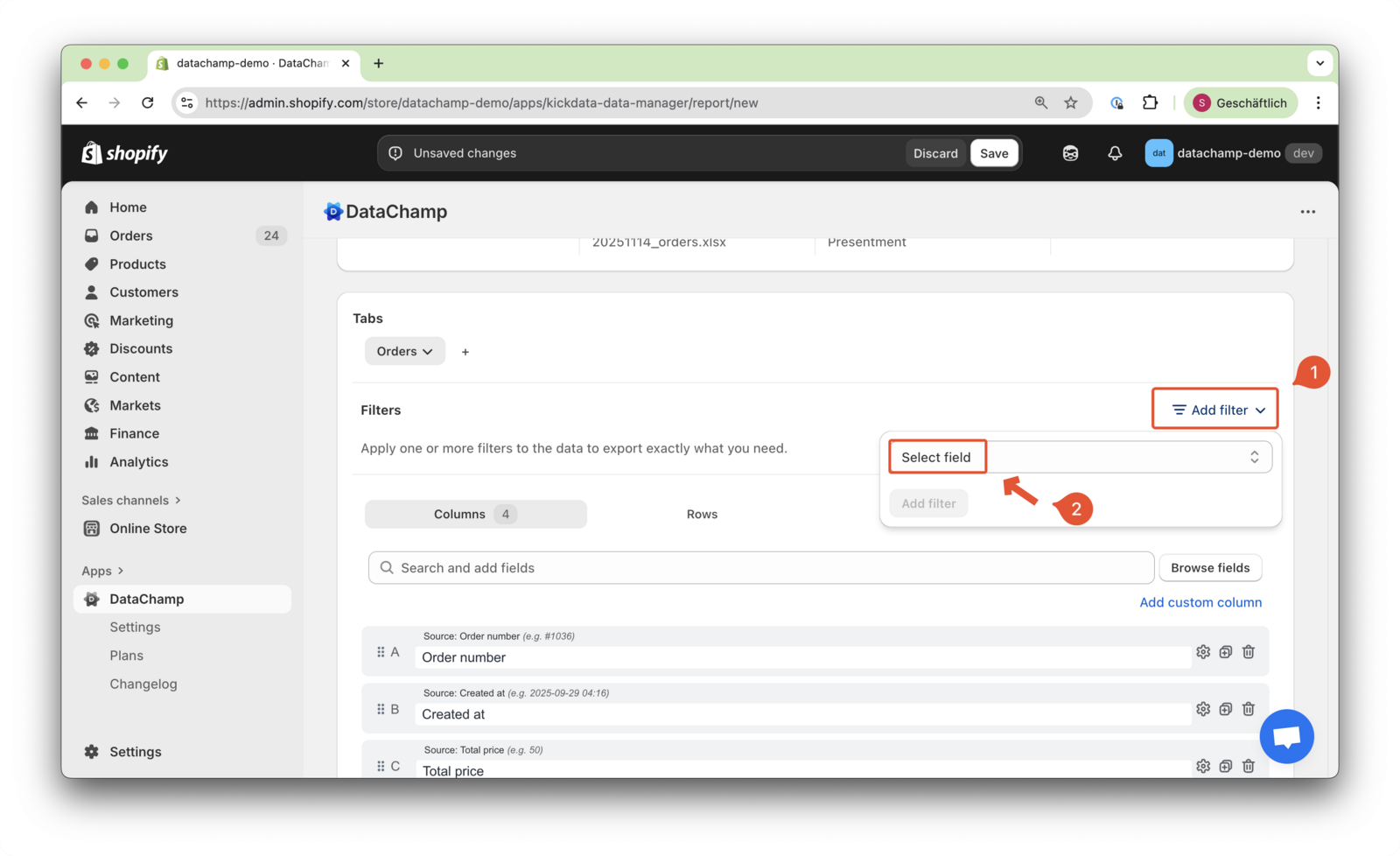
Click on “Add Filter” and select the filter you need for your report.
Take a look at the Filters FAQ to explore examples of the most commonly used filters.