Date Filter and Date Calculations
Updated on
In this tutorial, you will learn how to use special filters and dynamic date calculations in DataChamp.
We’ll use a real-world example: an order needs to be shipped tomorrow to arrive at the customer’s address in two days.
Scenario:
When a new order is placed, we automatically assign a tag containing the planned delivery date, such as 2025-08-02.
This tells us the order must be shipped tomorrow to meet the two-day delivery window.
Step 1: Create a Report
- Create a new report and select "Orders" as the report type.
- Add the columns you need — e.g., Order Number.
- Remove any columns you don’t need.
Step 2: Add Custom Columns
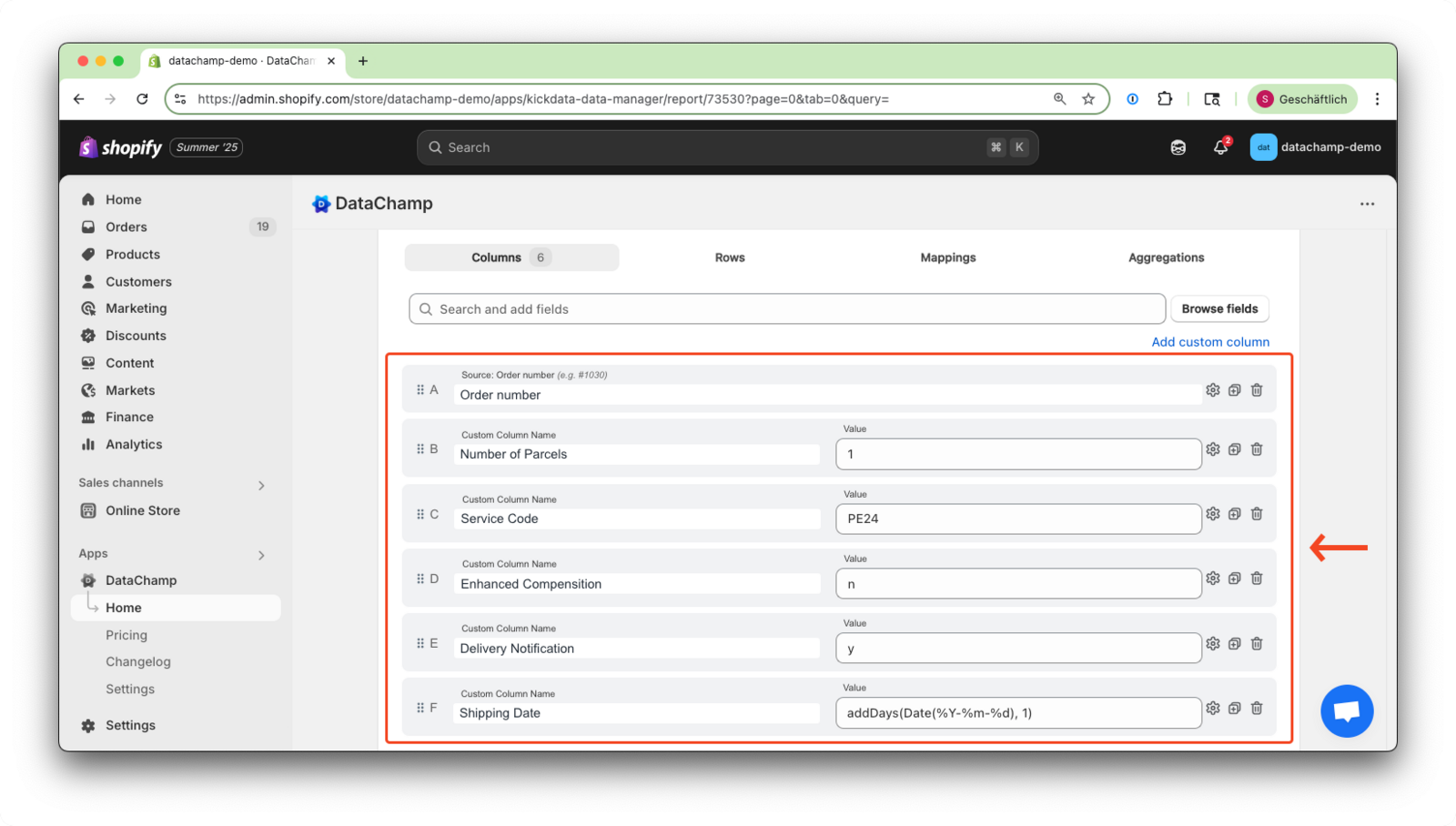
Create the following custom columns to define your shipping settings:
| Custom Column Name | Value | Purpose |
|---|---|---|
| number of parcels | 1 | Default: one parcel per order |
| No Signature Required | 02 | DPD setting for “no signature” |
| Service Code | PE24 | Standard DPD service |
| Enhanced Compensation | N | Disables insurance coverage |
| Delivery Notification | y | Enables recipient notifications |
| Shipping Date | addDays(Date(%Y-%m-%d), 1) | Sets the shipping date to tomorrow |
The formula addDays(Date(%Y-%m-%d), 1) adds 1 day to today’s date, dynamically setting the shipping date to tomorrow.
Please also take a look at: Date Format
Step 3: Apply Filters
We now filter for:
- Orders that are unfulfilled
- Will be delivered via DPD
- Have a delivery date tag set for two days from now
Apply the Following Filters
| Filter | Condition | Value |
|---|---|---|
| Fulfillment Status | Unfulfilled | |
| Shipping Method: Title | includes | DPD |
| Tag | equals | addDays(Date(%Y-%m-%d), 2) |
Ensure that the tag format (e.g.,
2025-08-02) matches the format generated by the formula%Y-%m-%d, otherwise the filter won't match.
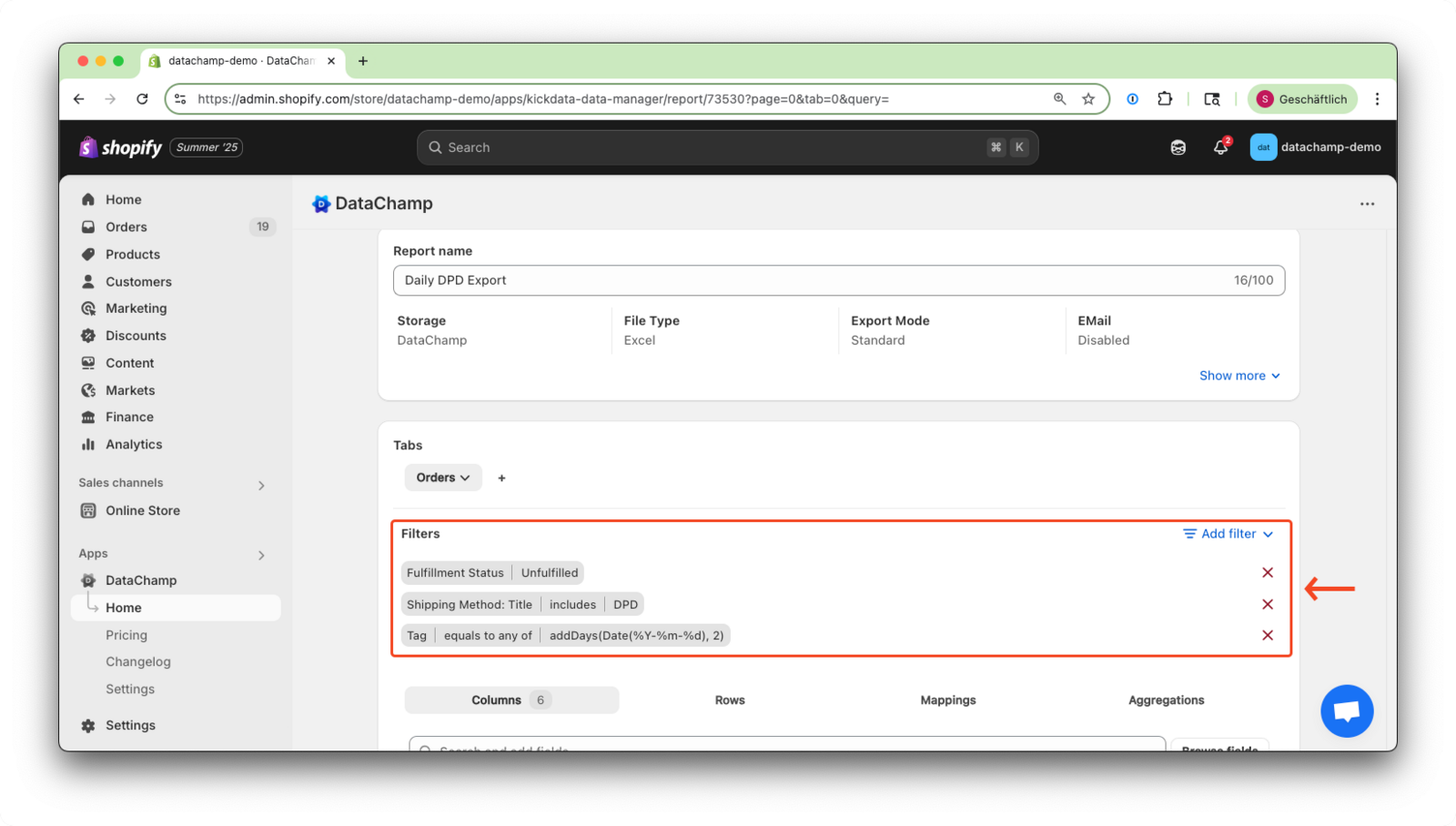 see all unfulfilled DPD orders that need to be shipped tomorrow.
Adjust the Date Range Easily:
Want to find orders due for delivery in four days?
Just change the Tag filter to: addDays(Date(%Y-%m-%d), 4)
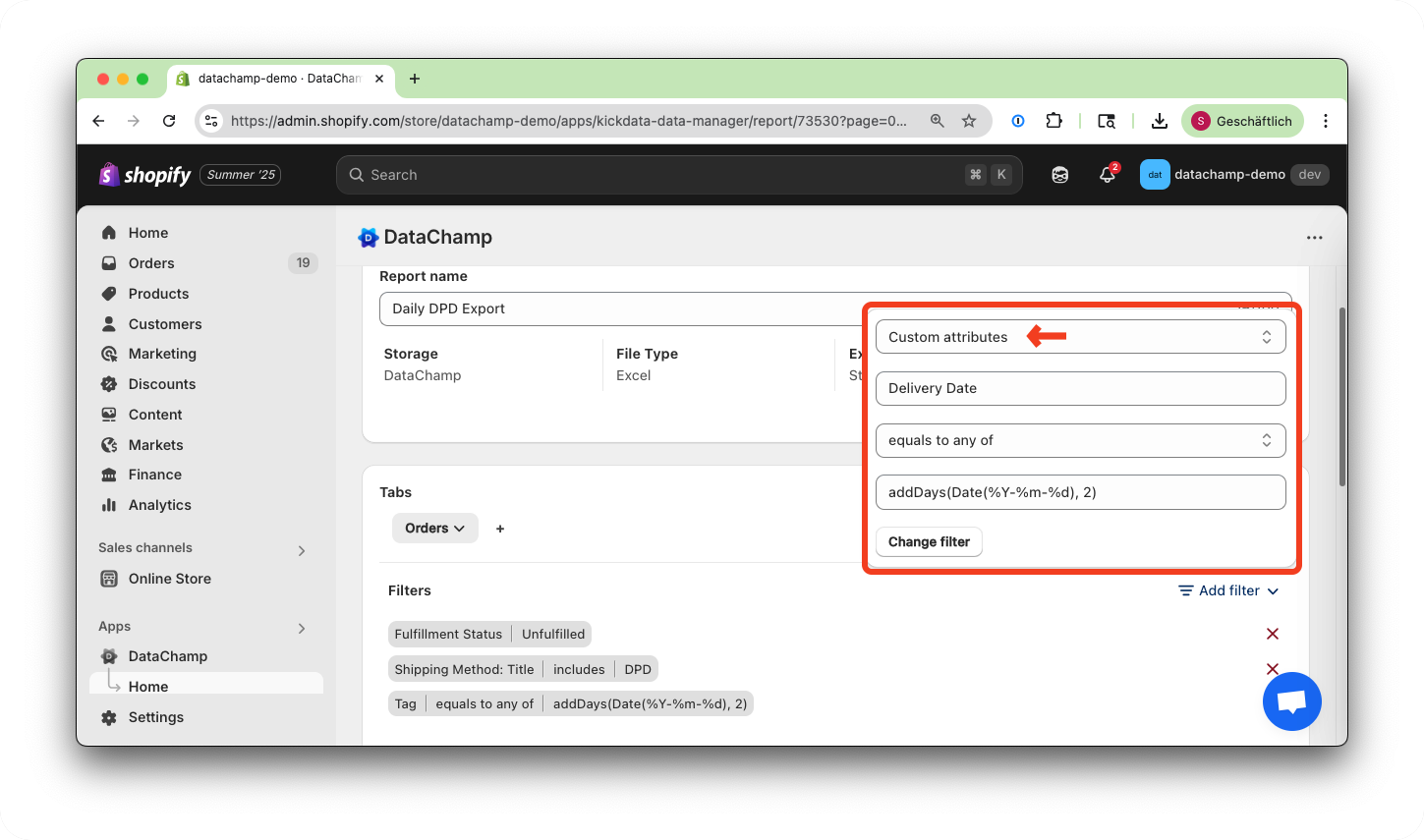
If you're using a custom attribute instead of a tag to store the delivery date, simply update the filter to use "Custom Attributes" instead of "Tag".
More Examples Where Date Functions Are Useful
When the payment term (30 days after order date) ends today
| Filter | Value |
|---|---|
| Order Date | addDays(Date(%Y-%m-%d), -30) |
→ Shows all orders placed 30 days ago.
When the payment term ends next week (7 days before due)
| Filter | Value |
|---|---|
| Order Date | addDays(Date(%Y-%m-%d), -23) |
→ Finds all orders from 23 days ago, meaning payment is due in 7 days.
Reminder email for customers who ordered 30 days ago
| Filter | Value |
|---|---|
| Order Date | addDays(Date(%Y-%m-%d), -30) |
→ Useful for campaigns like: “Need a refill?”
Important Reference
addDays(Date(%Y-%m-%d), 0)→ todayaddDays(..., -1)→ yesterdaydateAdd({{Processed at}}, 12, 'months')→ set an expiration date 12 months later
Available Time Units for Date Functions
| Unit | Aliases |
|---|---|
| year | "year", "years", "y" |
| month | "month", "months", "M" |
| week | "week", "weeks", "w" |
| day | "day", "days", "d" |
| hour | "hour", "hours", "h" |
| minute | "minute", "minutes", "m" |