Regex for Search and Replace
Updated on
The Search and Replace function allows you to find specific words or character sequences in your data and replace them with alternative values.
For more advanced use cases, Regular Expressions (Regex) enable you to define text patterns. This is especially useful for standardizing data formats. For example, you can use regex to identify all phone numbers with an international prefix and convert them into a consistent local format across your reports.
For a full walkthrough, refer to our YouTube tutorial:
- Create an Order Report
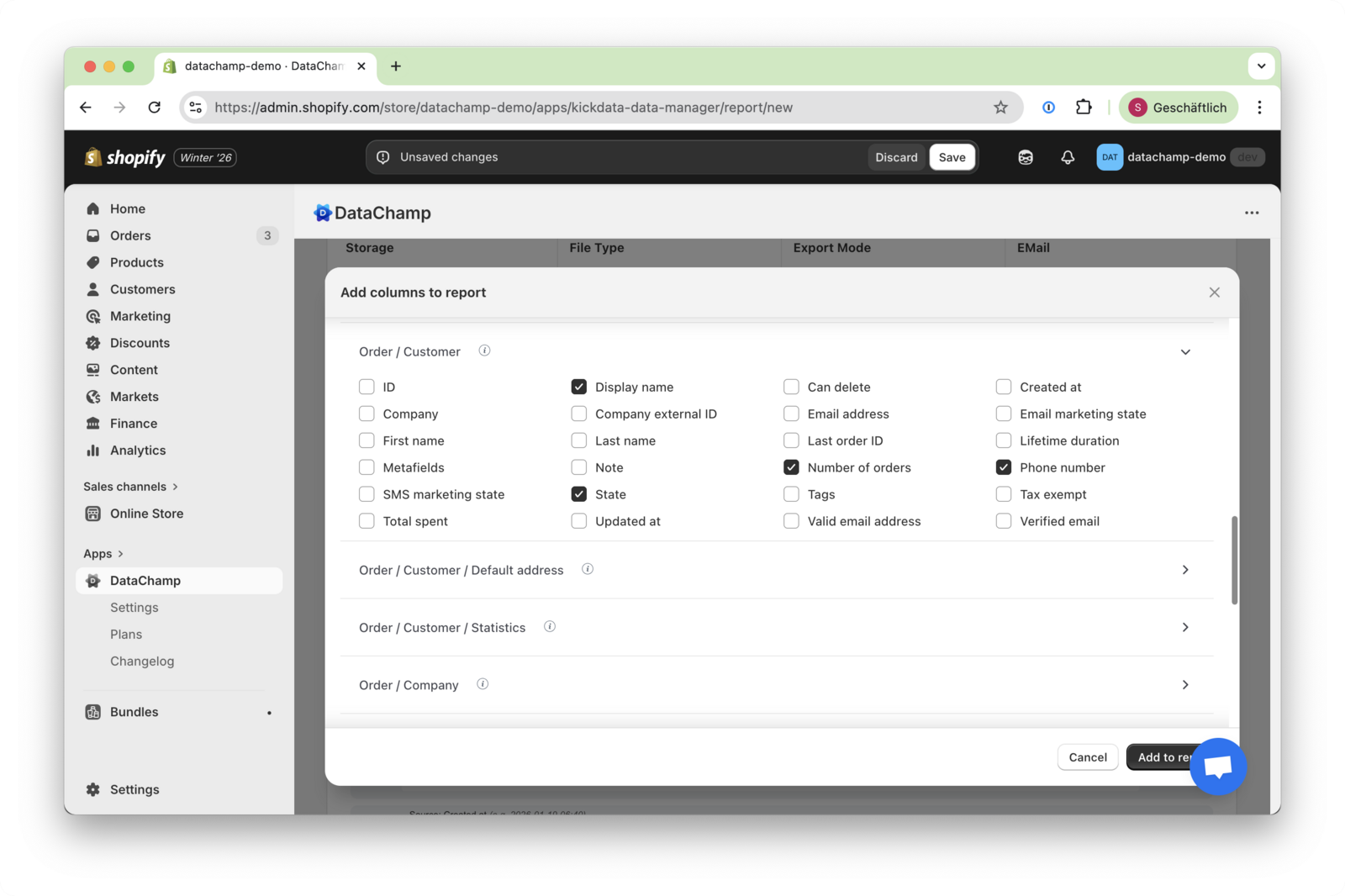
- Create a new order report and select the columns required for your use case.
- For example: Display Name, Number of Orders, Phone, etc.
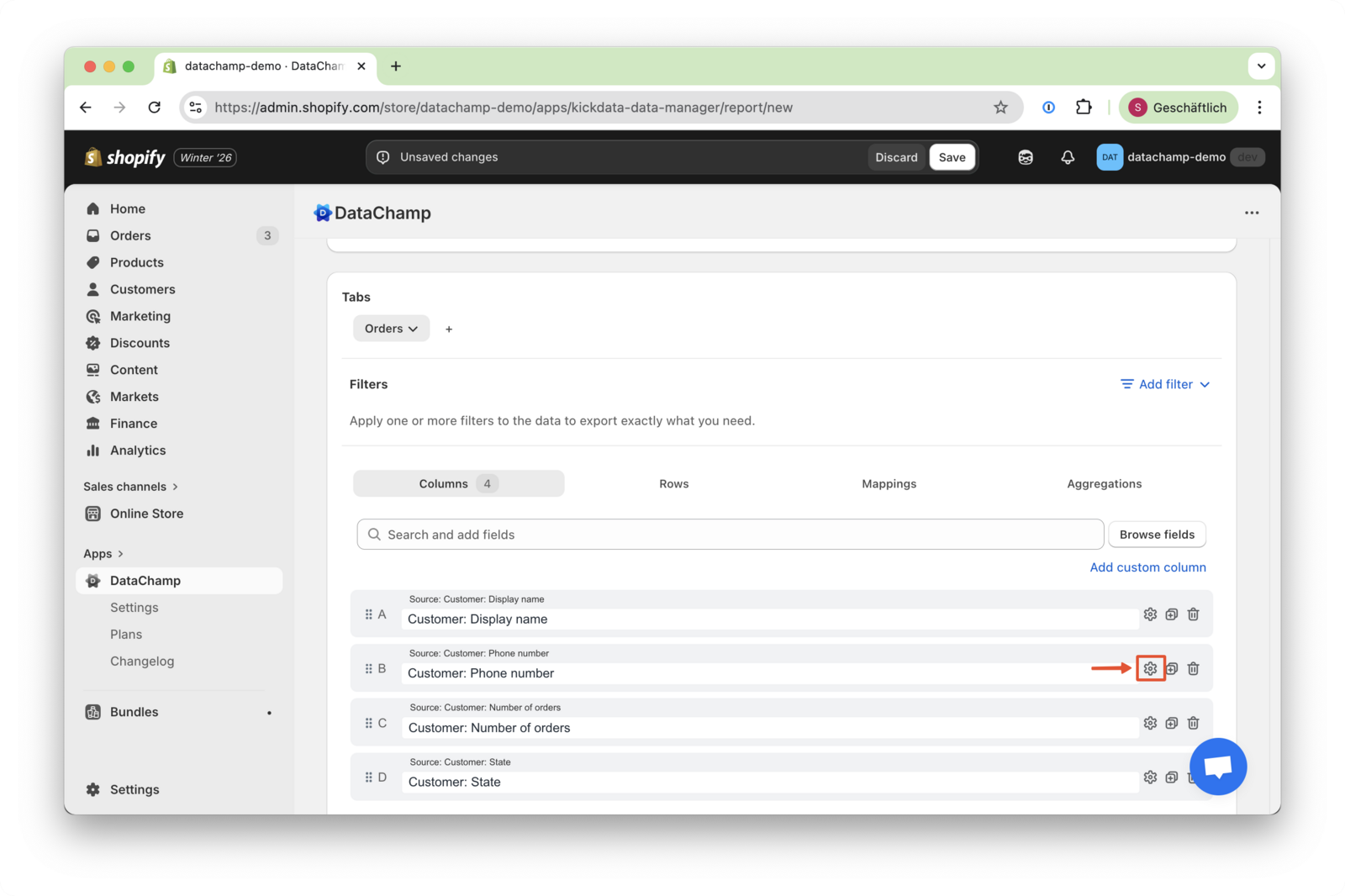
- Open Search and Replace Settings
- Click the Settings (icon) to access the Search and Replace options.
- Apply a Regular Expression
To standardize phone numbers, we will replace the international prefix ^81|\+81 with 0.
- Enable RegEx in the Search for characters field
- Enter the following regular expression:
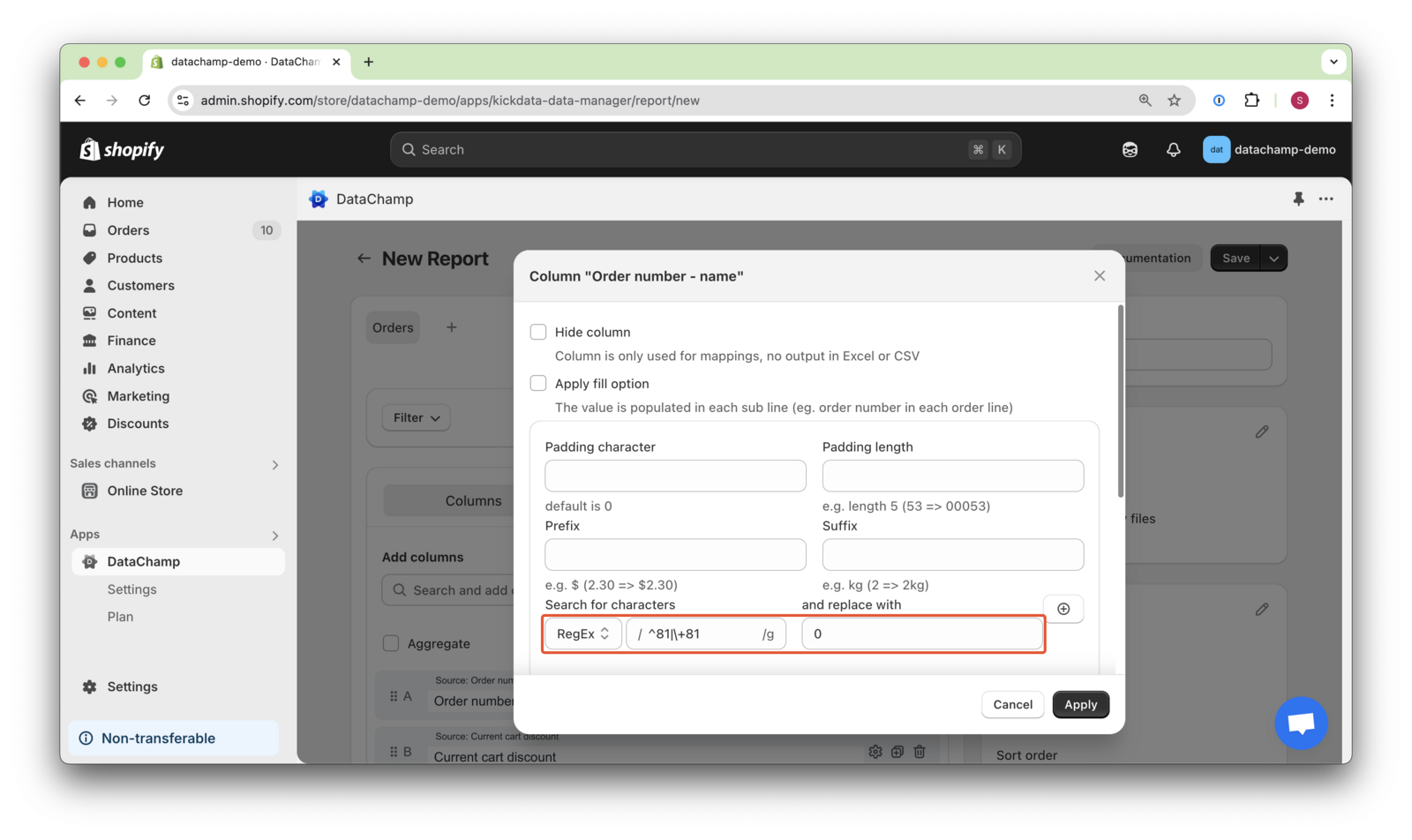
- This ensures that all phone numbers follow a consistent format.
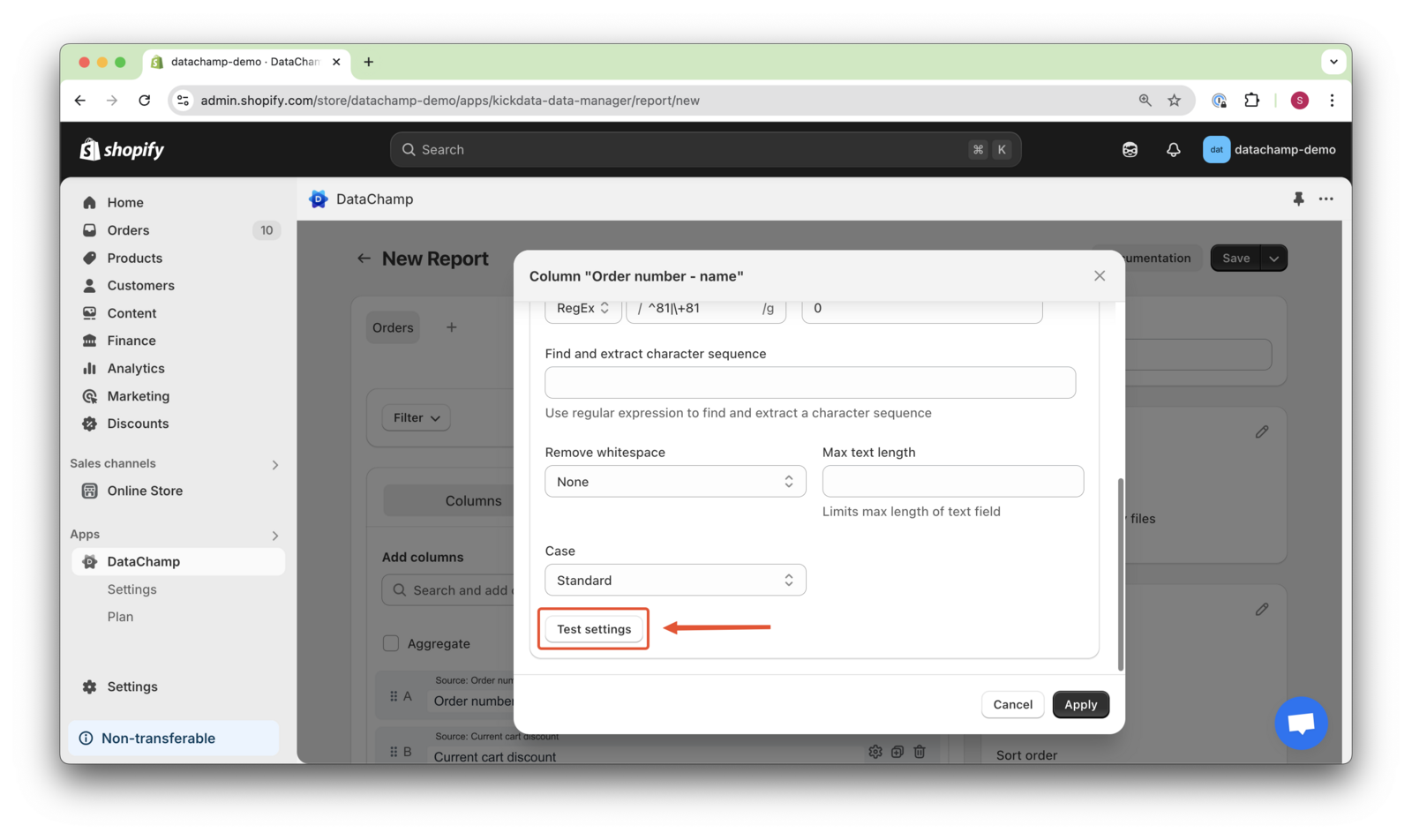
- Test the Settings
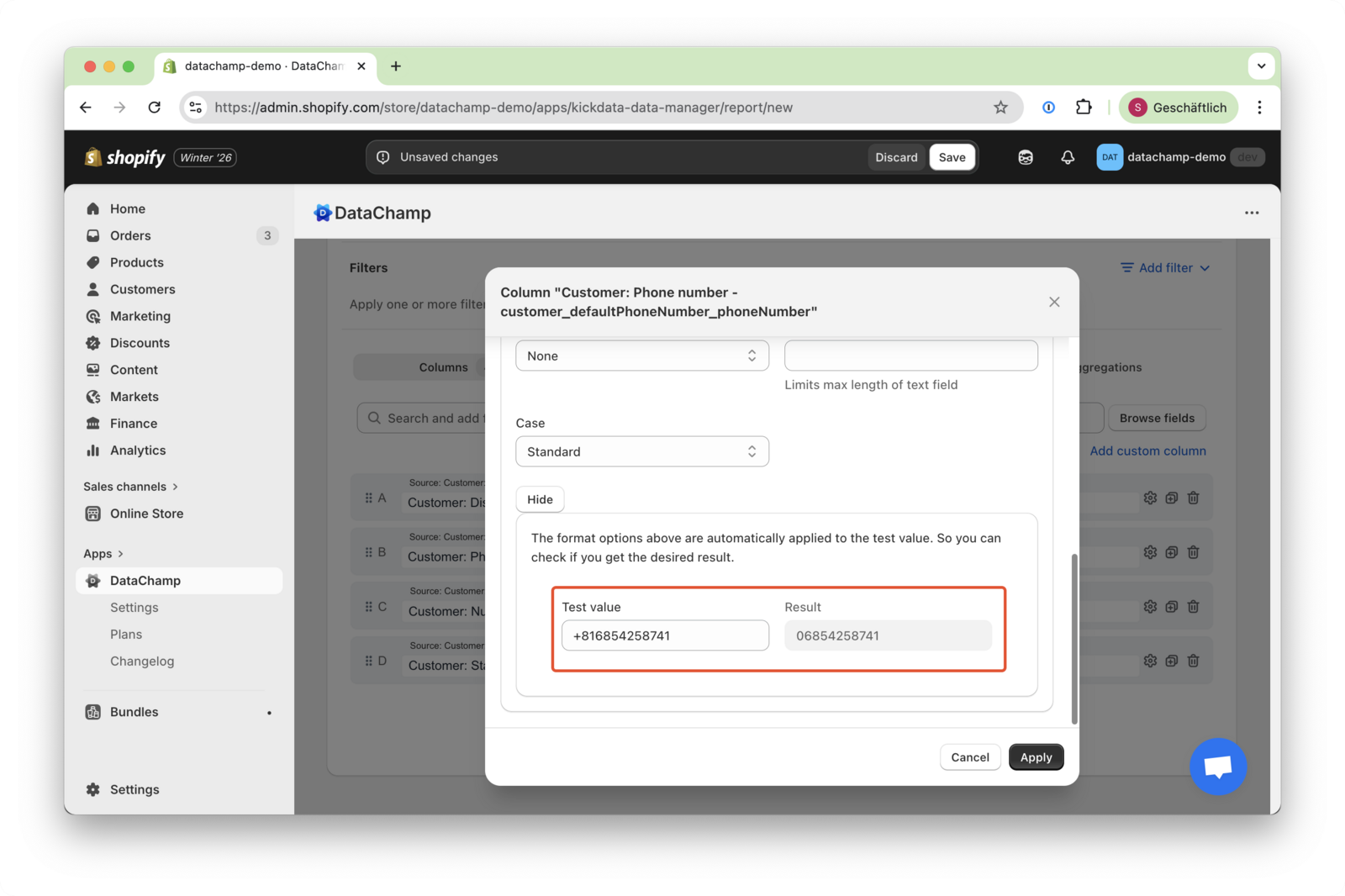
- To verify your configuration, click “Test settings”.
- This allows you to preview the results and confirm that the replacement works as expected before exporting the report.
Explanation:
- The regular expression ^81|+81
- will search for a string starting with 81 or +81
- and if found, the string will be replaced by 0
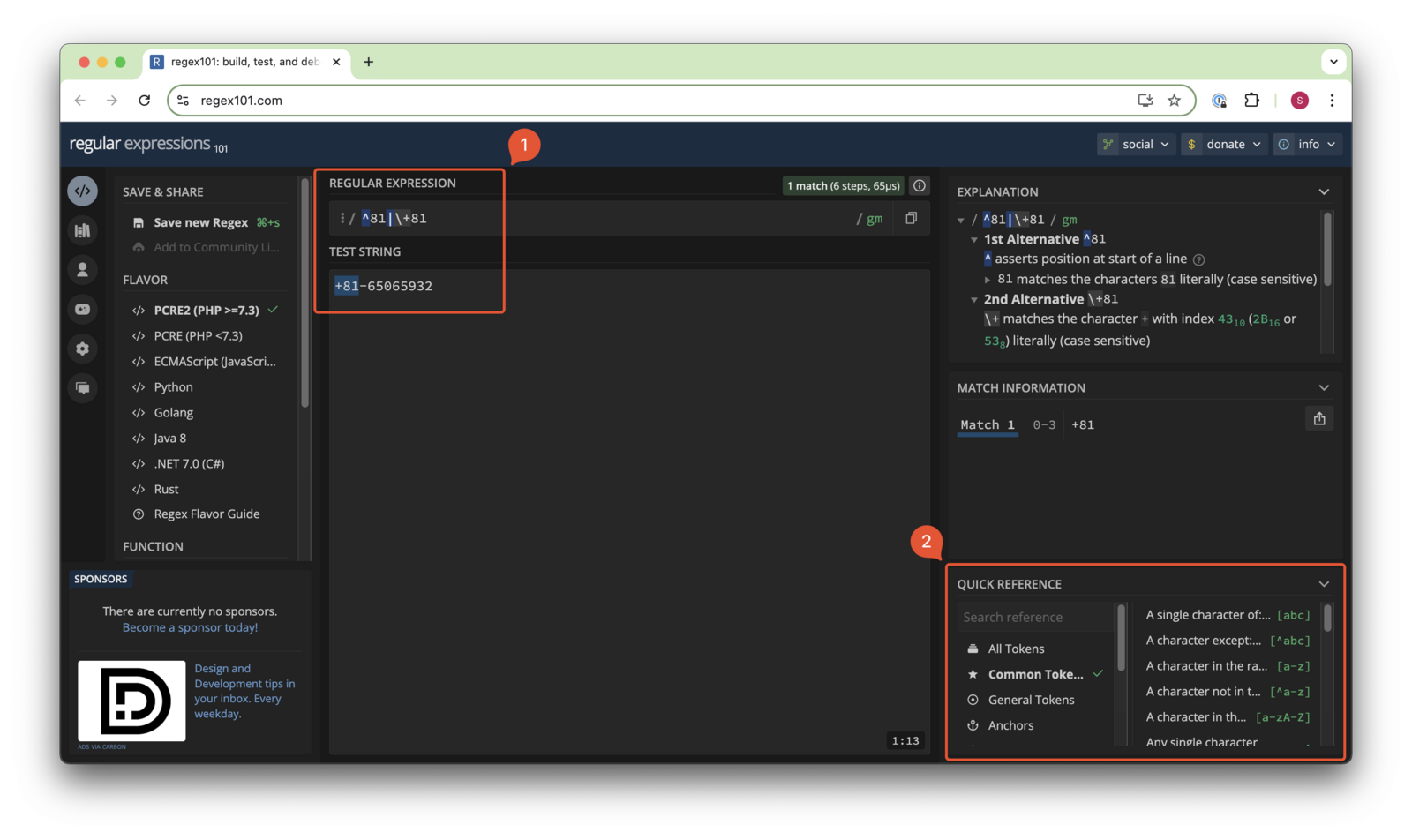
Regular expressions are powerful but not always intuitive. To explore this topic further, consider using external resources. A great starting point is regular expressions 101
Use ECMAScript(JavaScript) to develop your regular expressions ( 1 ) - like the example above,. You can also find common tokens ( 2 ) in the bottom right corner of the page.