Export Selected Orders
Updated on
With DataChamp, you can export selected orders directly from Shopify.
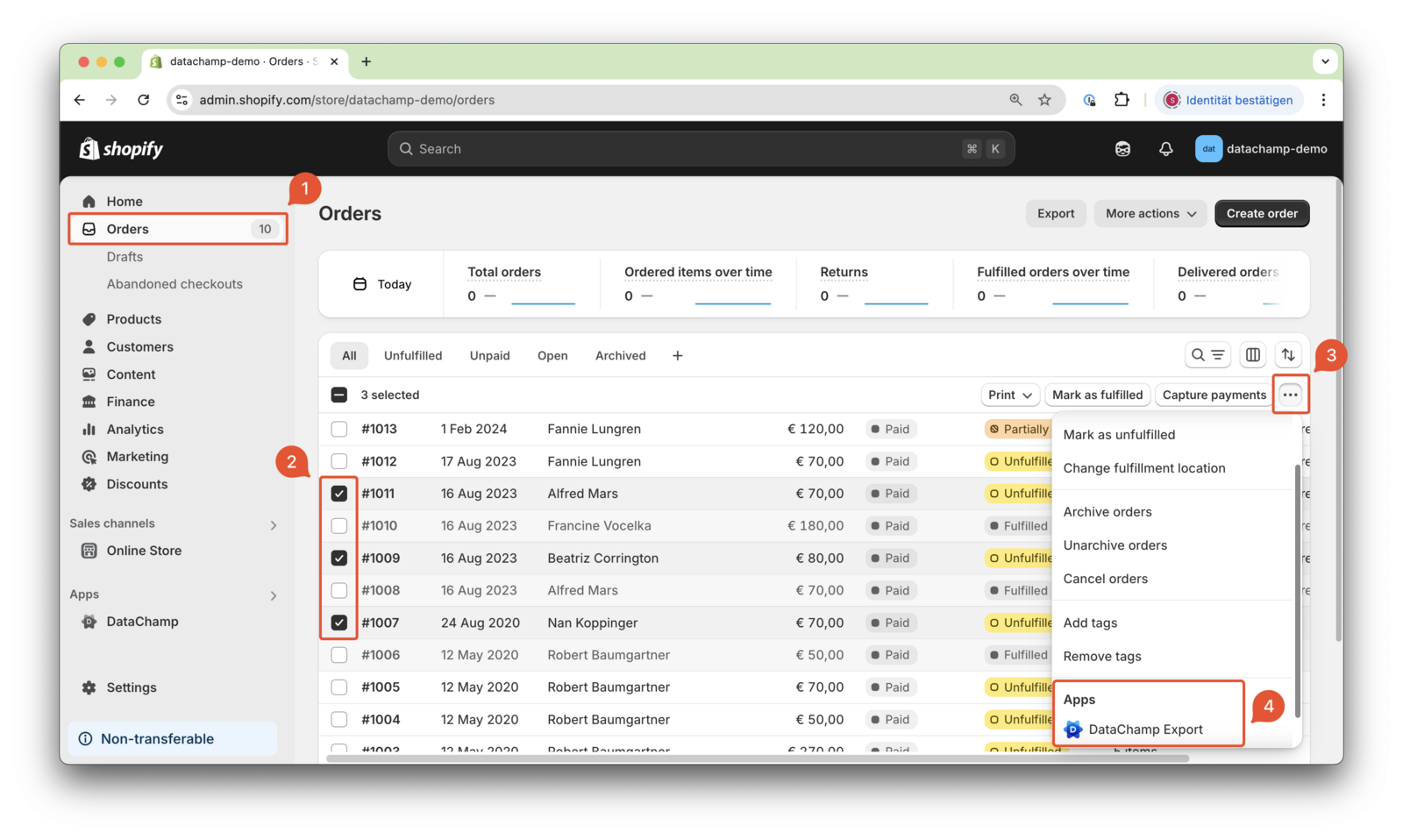
To do this, go to the Shopify orders overview 1 and select the orders you want to export 2. Then, click on the "three dots" 3 at the bottom of the orders overview and choose "DataChamp Export" 4.
Then select the report you would like to use.