Export and Import Reports
Updated on
You can export reports and then import them back into other shops. If you receive reports from our support, then you need to import them into your shop.
Export Report
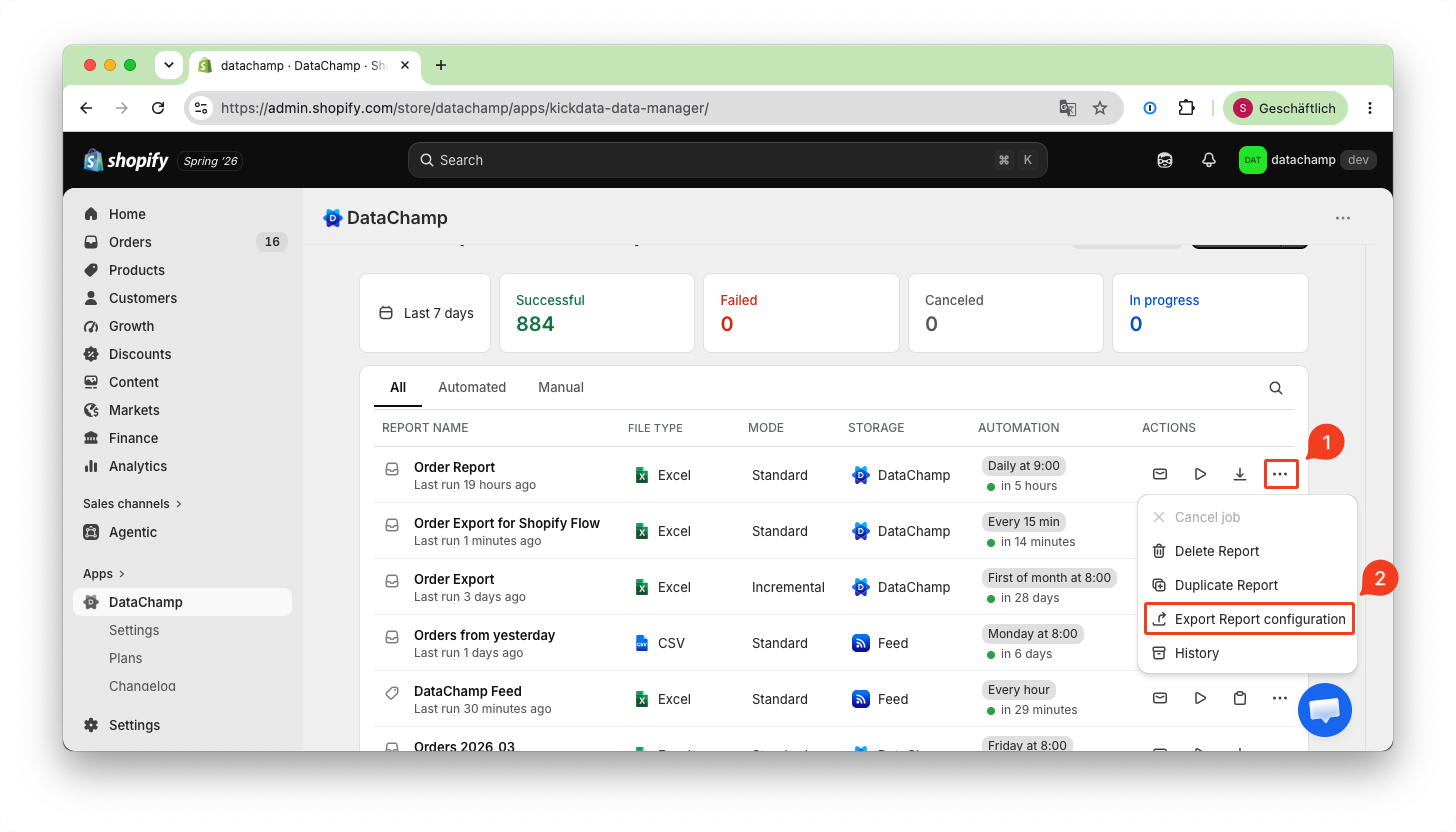
In the report summary, click on
1 the three dots
2 "Export report configuration"
This will download a "json" file to your computer.
Import Report
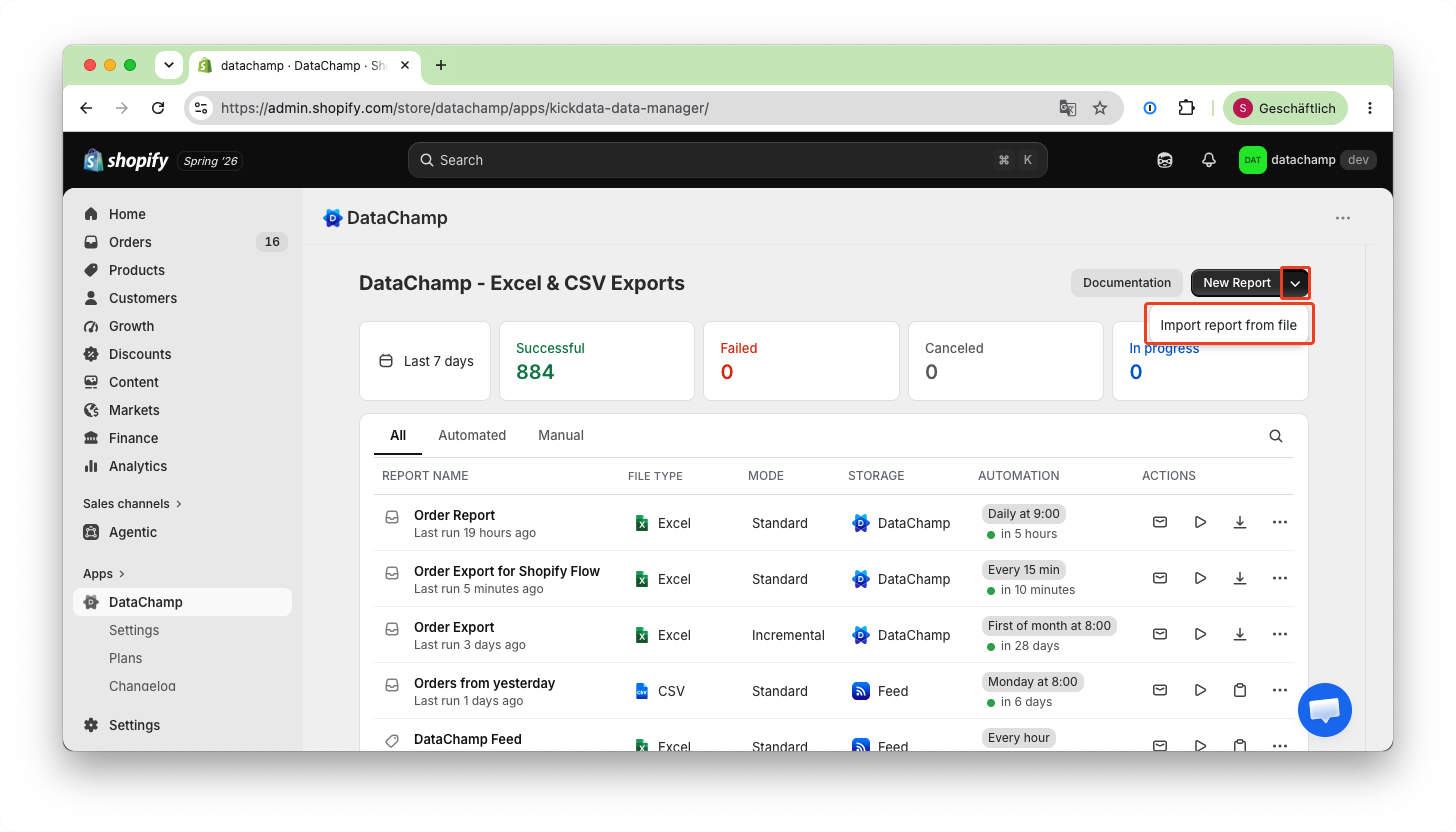
From the DataChamp main page, click on the arrow next to the "New Report" button. Then, select "Import Report from File" and upload the previously downloaded file or the file provided by our support team: